If you have enabled advanced online payments shown in this article Setting up online payments, then you will be able to view all your credit card payments processed through our payment gateway on your website, including refunds.
What are payouts?
A payout is created when you receive funds from our payment gateway to your bank account. Your first payout typically gets paid after 7-14 days after your first sucessful payment is received. This delay allows our payment gateway to verify your account and mitigate risks inherent in providing credit card services.
Payouts are made on varying schedules, depending on your country and industry. Usually card payments take 2-3 business days to clear and are paid out each business day (noting that it could take additional days for your bank to then accept these payments), where as staff card payments are paid out every Monday.
Setting up payout details to your bank account
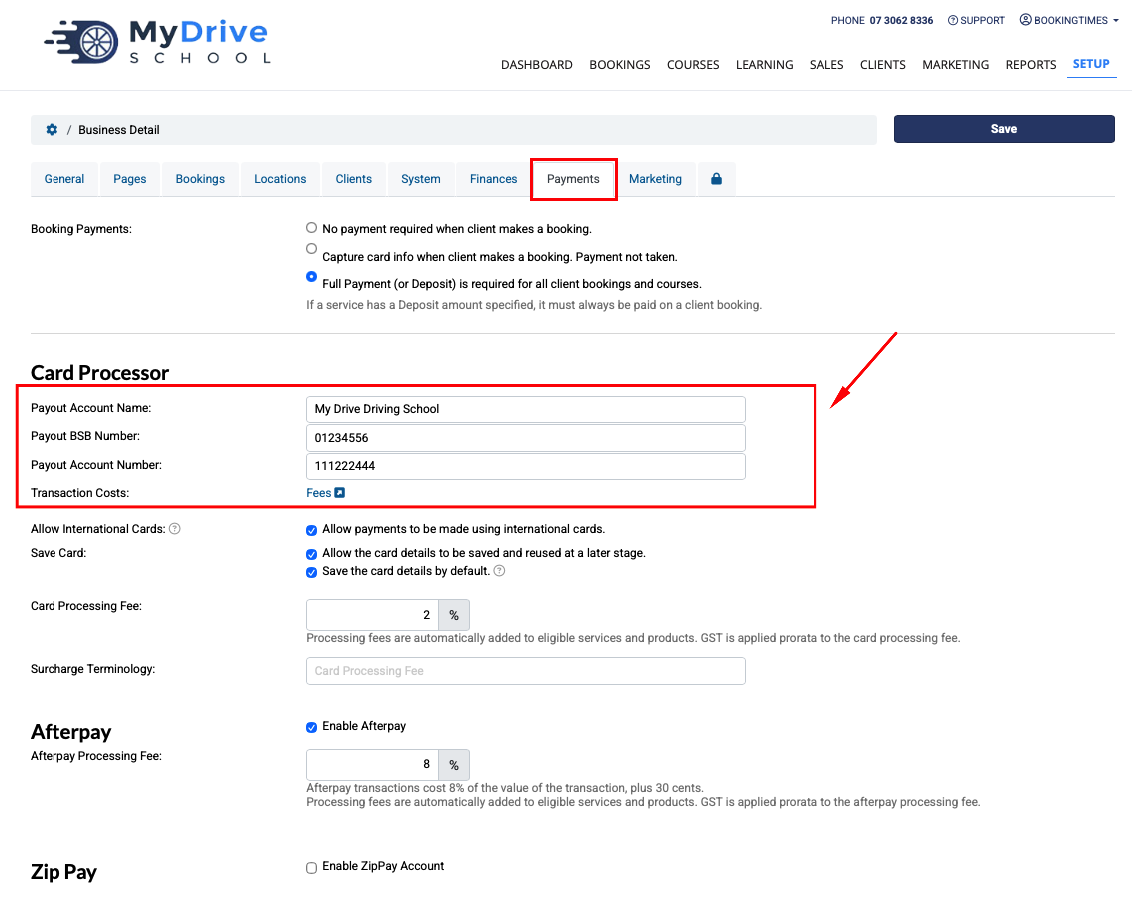
You need to set up your bank details that you want your payouts to be paid into. Usually these details have been entered as part of Setting up online payments initially so they will already appear in this section. And if you need to update your bank details for the payouts to go into then you can do so as follows, and these details will be automatically updated with the payment gateway.
Steps
Navigate to Setup > Business Detail > Payments tab
Complete the required details including account name, BSB and account number (and for other countries any other relevant information such as routing numbers )
Click Save
View payouts and pending payouts
Steps
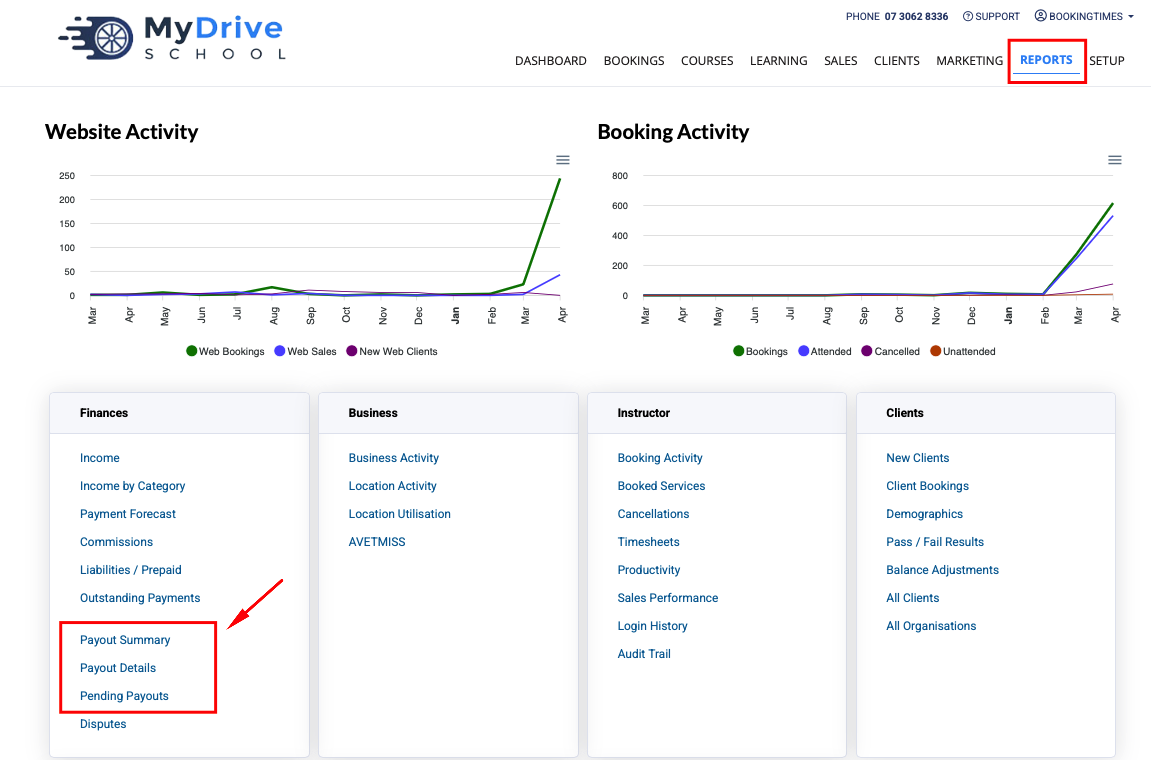
Click on the Reports menu > Finances section
There are several reports you can view.
Payout Summary report: shows a summary of each payout.
Payout Details report: shows the details of each payout - what their total payment amount was and what transactions are included in that payout. You can click on the invoice numbers to see the specific transactions details.
Pending Payouts report: shows all the transactions that have not be paid out to you yet.
Fees charged
The actual fees that have been charged by the payment gateway will appear in both the Payout Summary and Payout Details report which you can use in your overall financial record keeping.
These will usually be slightly different to the credit card surcharge fee that you have charged the client (if they are set up in your system), because you simply set up a % to cover the majority of the fee, and the payment processor then works out exactly based on that amount - the fee charged to you.