Clients can be manually deactivated so that they are removed from the general search and also from future marketing sequences. This process can also be set up to run automatically based on a specified period of inactivity.
Note: deactivations take place every Friday afternoon.
Manually deactivating a client
Steps
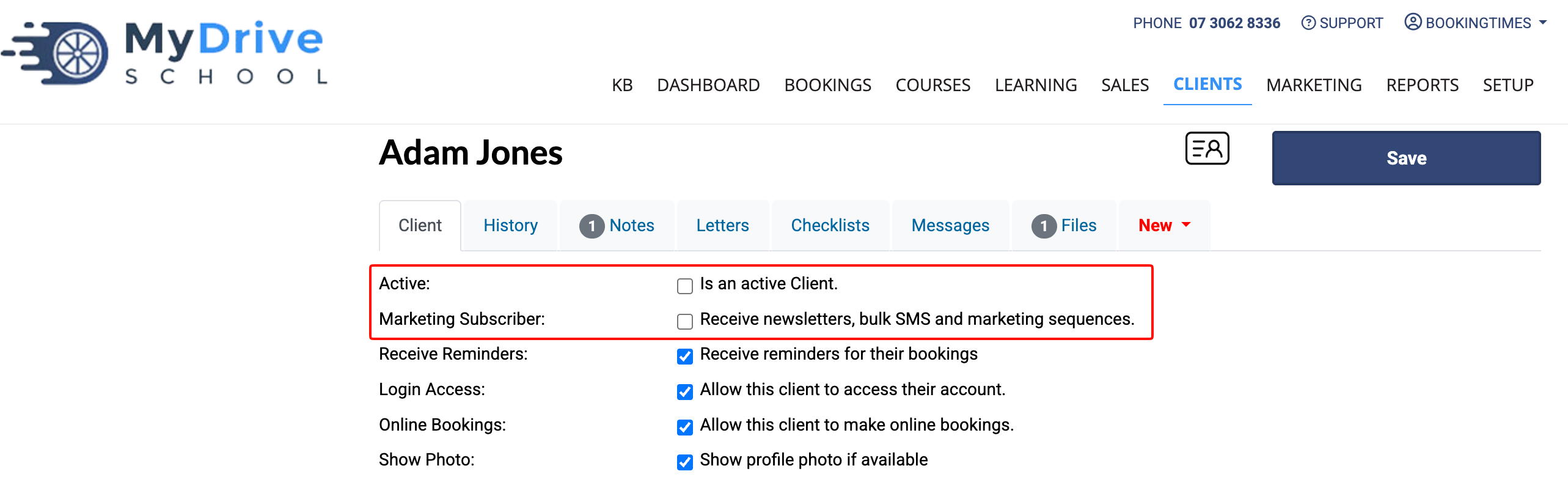
Select the Clients main menu item.
Search and select the client you wish to deactivate.
Unselect Active and Marketing Subscriber.
Click Save.
Automatically deactivating clients
Steps
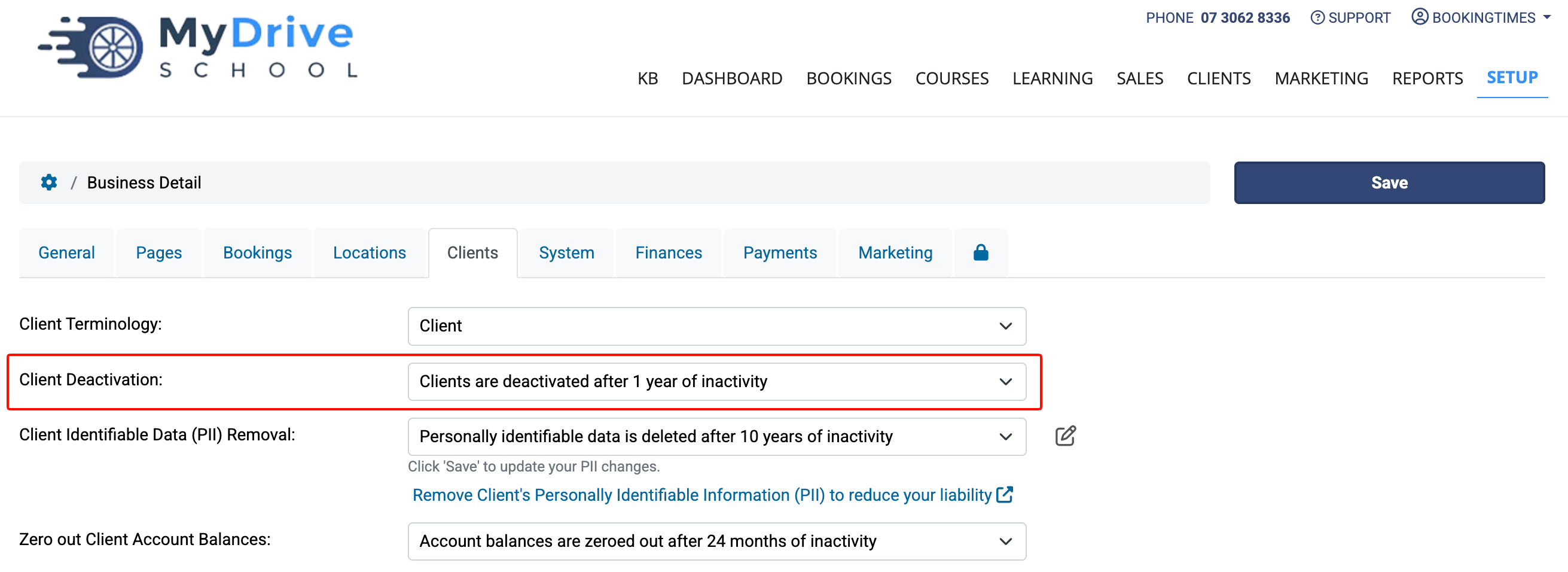
Navigate to Setup > System Settings > Business Detail > Clients (tab)
Under Client Deactivation, select to automatically deactivate clients after a specified period of inactivity.
Click Save.
Tip
You may also like to consider removing Personal Identifiable Information for the client by following the steps in the linked article.