Personal Identifiable Information, or PII, is information that can be used on its own or with other information to identify, contact or locate a single person, or to identify an individual in context.
The loss of PII can result in substantial harm to individuals, including identity theft or other fraudulent use of the information. Because employees and contractors may have access to personal identifiable information concerning individuals and other sensitive data, you have a critical responsibility to protect that information from loss and misuse.
In addition, to restricting access to your data through Security Role permissions, you can automatically deactivate clients (removing them from general search and from future marketing) and also physically remove their PII data.
Manually removing PII data
Steps
Select the Clients main menu item.
Search and select the client you wish to remove PII.
Clear the information in the relevant fields listed below.
Click Save.
Automatically removing PII data
Steps
Navigate to Setup > System Settings > Business Detail > Clients (tab)
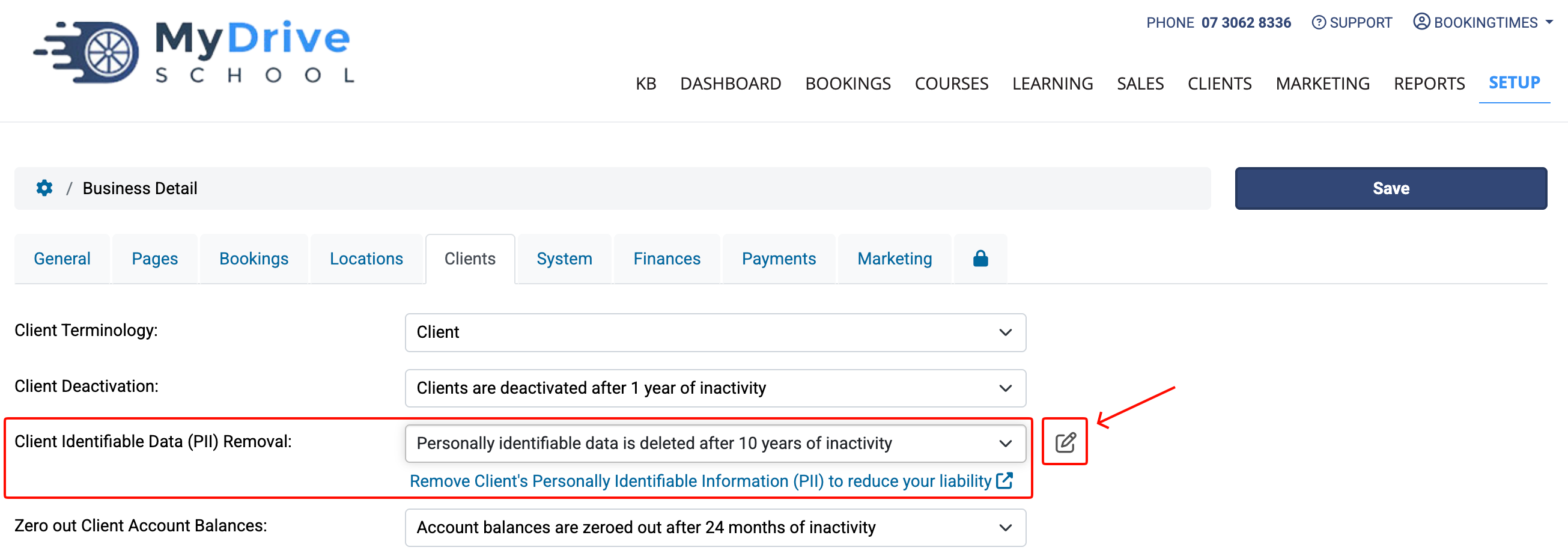
Click the Edit icon to open the Choose the PII Data to Remove popup. Note: the Edit icon is only visible when you choose to delete personally identifiable data after 1 year or longer.
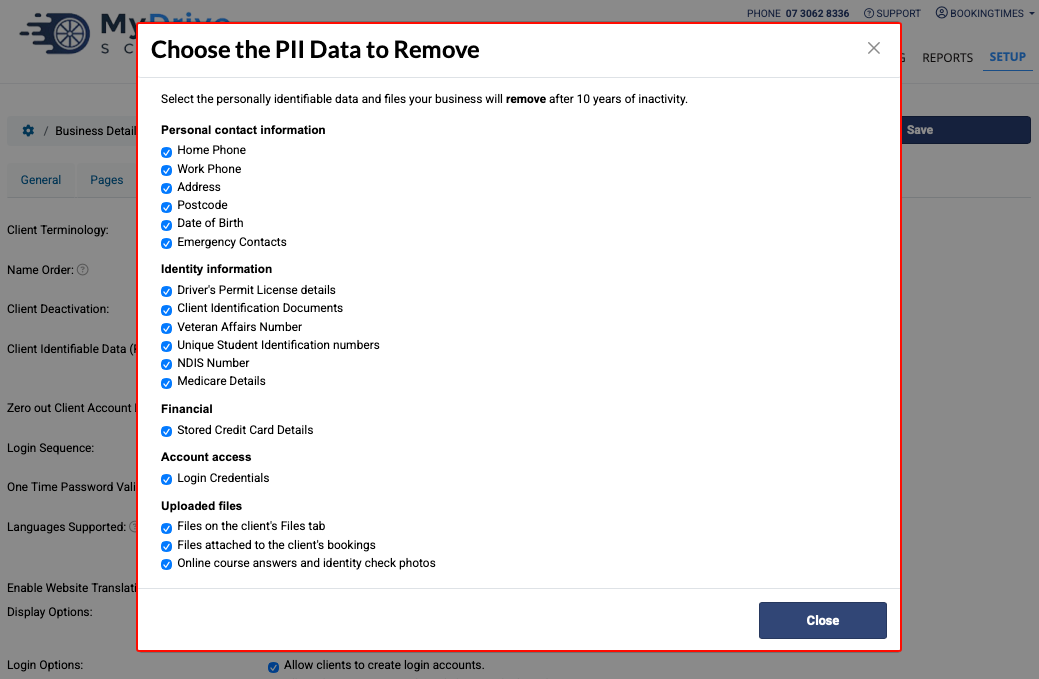
Select the data fields you want to remove and unselect those that you do not want removed after the specified period of inactivity. The default setting is for all of the information listed to be removed.
Click Close.
Click Save to save your PII changes.
Data that will be removed
The following data elements are removed as part of the automatic PII removal process:
Personal contact information
Home Phone
Work Phone
Postal Address
Postcode
Date of Birth
Emergency Contacts
Identity information
Drivers' Permit/Licence Number, Expiry and associated images
Client Identification Documents
Veteran Affairs Number (only if enabled in additional client fields)
Unique Student Identification numbers (USI) (only if enabled in additional client fields)
NDIS Number (Australian Disability Services) (only if enabled in additional client fields)
Medicare Details
Financial information
Credit Card Details
Account access
Login Credentials (passwords, MFA, SSO logins, recovery codes, one-time passwords)
Uploaded files
Files on the client's Files tab
Files attached to the client's bookings
Online course answers and identity check photos
Data that is not removed
Mobile Number - associated with the login account
Email - associated with the login account
Booking addresses
Notes
Message history