Once you have created membership groups, they can also be used to restrict services to a particular membership group.
For example, if you want to only allow certain clients access to a service, you can certain clients to a membership group (and not based on a trigger from a service/product purchase). In this case you would manually add them to the group first, and then set up the restriction on the service.
To set up a service please see the Setting up services article.
Steps
Navigate to Setup > Bookings > Services
Select a Service
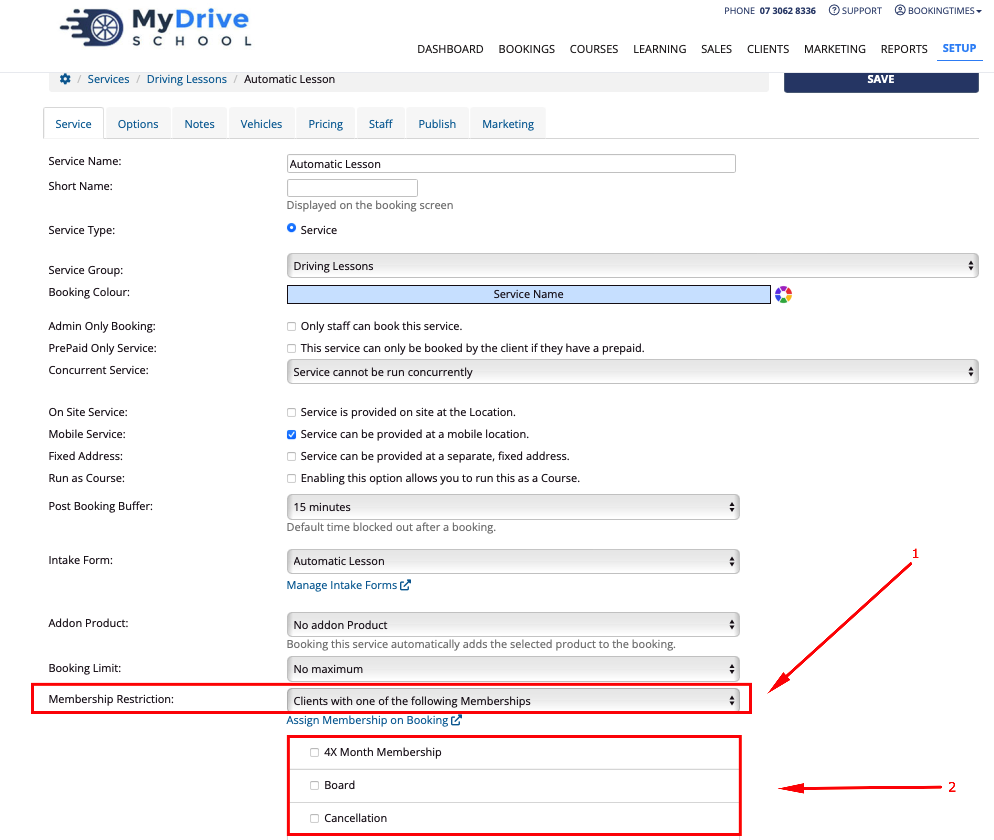
Go to the Membership Restriction section and select Clients with one of the following Memberships option [1]. All available membership groups will appear below [2].
Select all the membership group/s that apply
Click Save