This feature is available on these plans (view pricing)
A gift certificate is created when someone purchases a voucher or package for someone else. This gift certificate can also be sent to the purchaser or recipient via email.
You can create your own gift certificate design by following this guide as the design needs to ensure there is adequate room for the system to insert all the relevant information (e.g. purchaser, recipient, message etc).
Steps
Navigate to Setup > Shopping > Gift Certificates
Click Add Custom Gift Certificate
Enter the certificate name
Click Layout template link to download the gift certificate layout guide
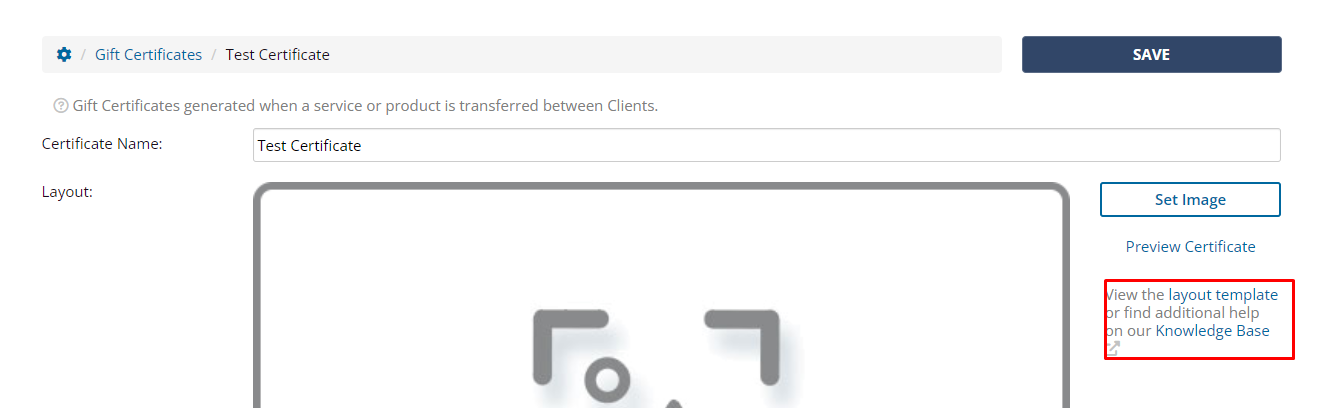
Template layout and dimensions
The layout for your new design needs to be the following dimensions, to ensure that text that the system inserts is visible.
794 pixels x 1123 pixels at 94 dpi
When you download the layout template it looks like this, and matches the above dimensions so you can compare them to ensure your design aligns.
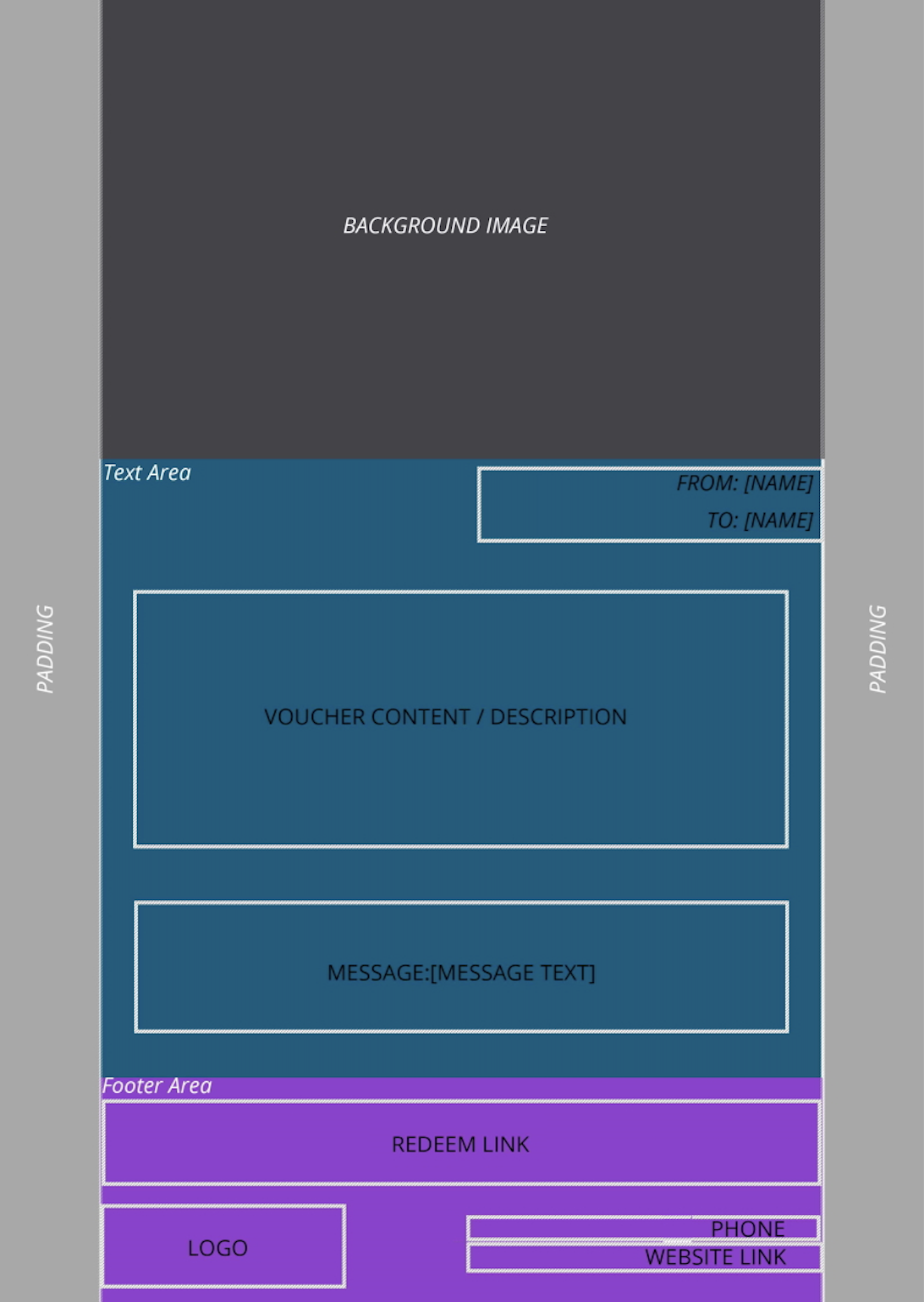
Create your gift certificate design based on the template (ensuring the dimensions are correct) and save as an image.
Click Set Image to upload your image
Click Preview Certificate to check how your certificate looks and make any modifications
Upload your final file and click Save
You can make your certificate the default design by clicking the star icon.