Version history available on all published pages including the homepage, footer, service, product and custom pages etc, allowing you to roll-back to any previous versions if desired.
Homepage and footer version history
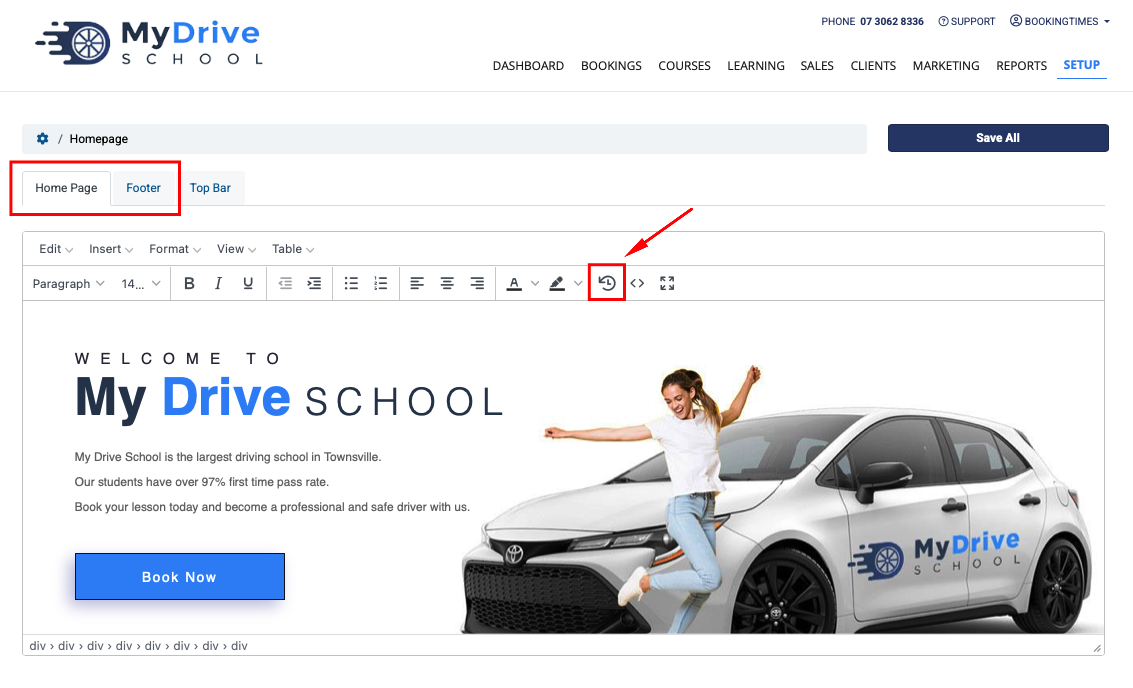
Navigate to Setup > Website Content > Homepage & Footer
Select Home Page or Footer tab
Select the version history icon
Select the Load link on the version you wish to go to
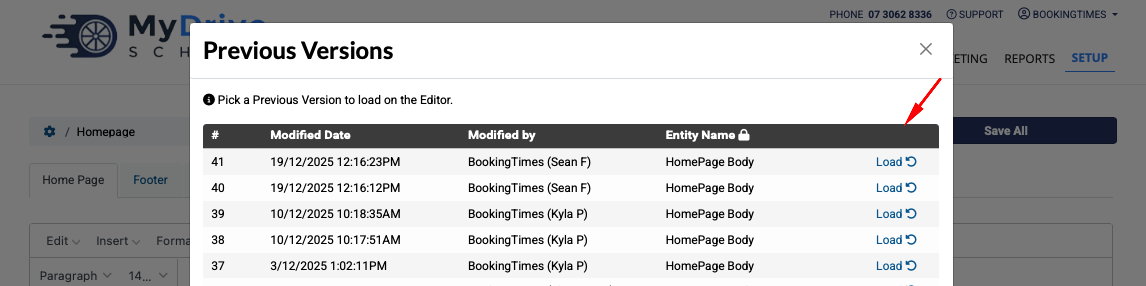
Click Save All to confirm.
Other published pages version history
Navigate to your publish page. e.g.
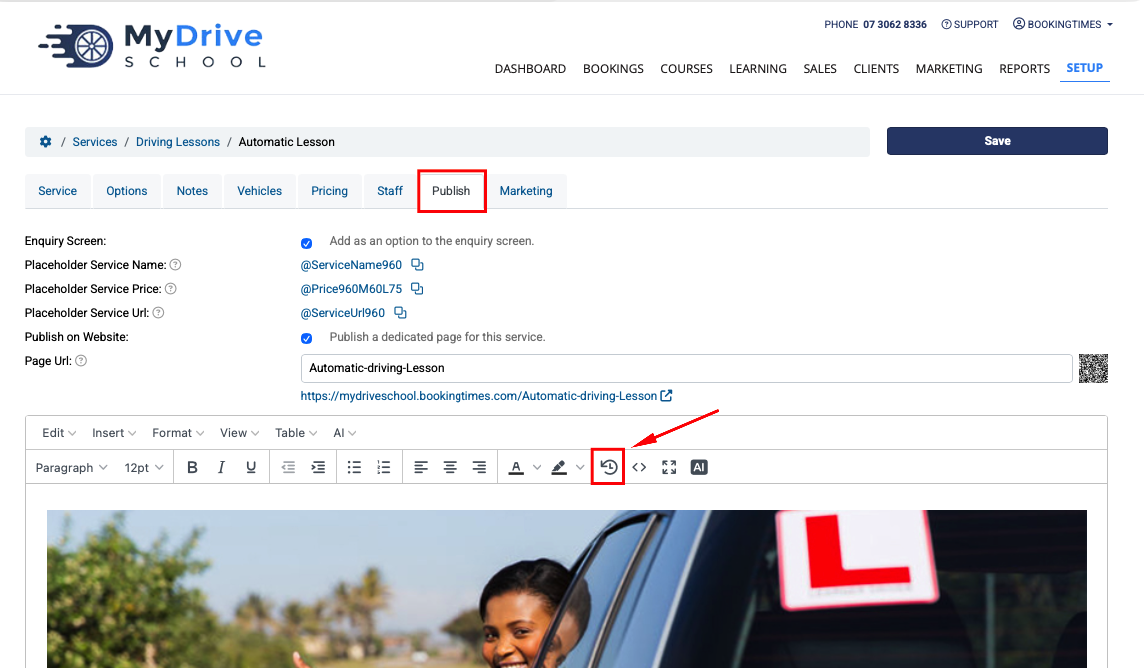
Setup > Services > select service > Publish tab
Setup > Products & Packages > select product > Publish tab
Setup > Custom pages > select page > Publish tab
Other published pages:
Email and letter templates
Marketing sequences
Blogs and articles
Select the version history icon
Select the Load link on the version you wish to go to
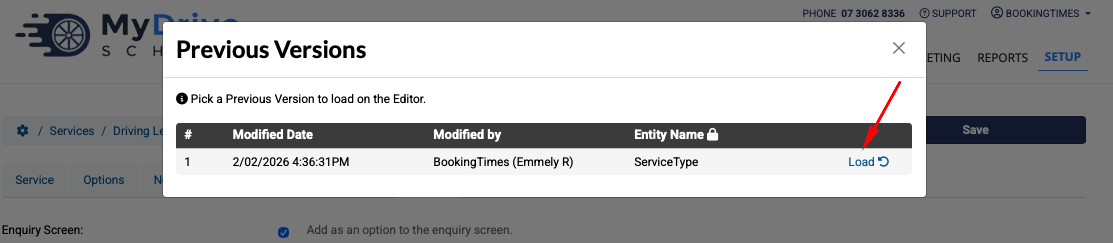
Click Save to confirm.