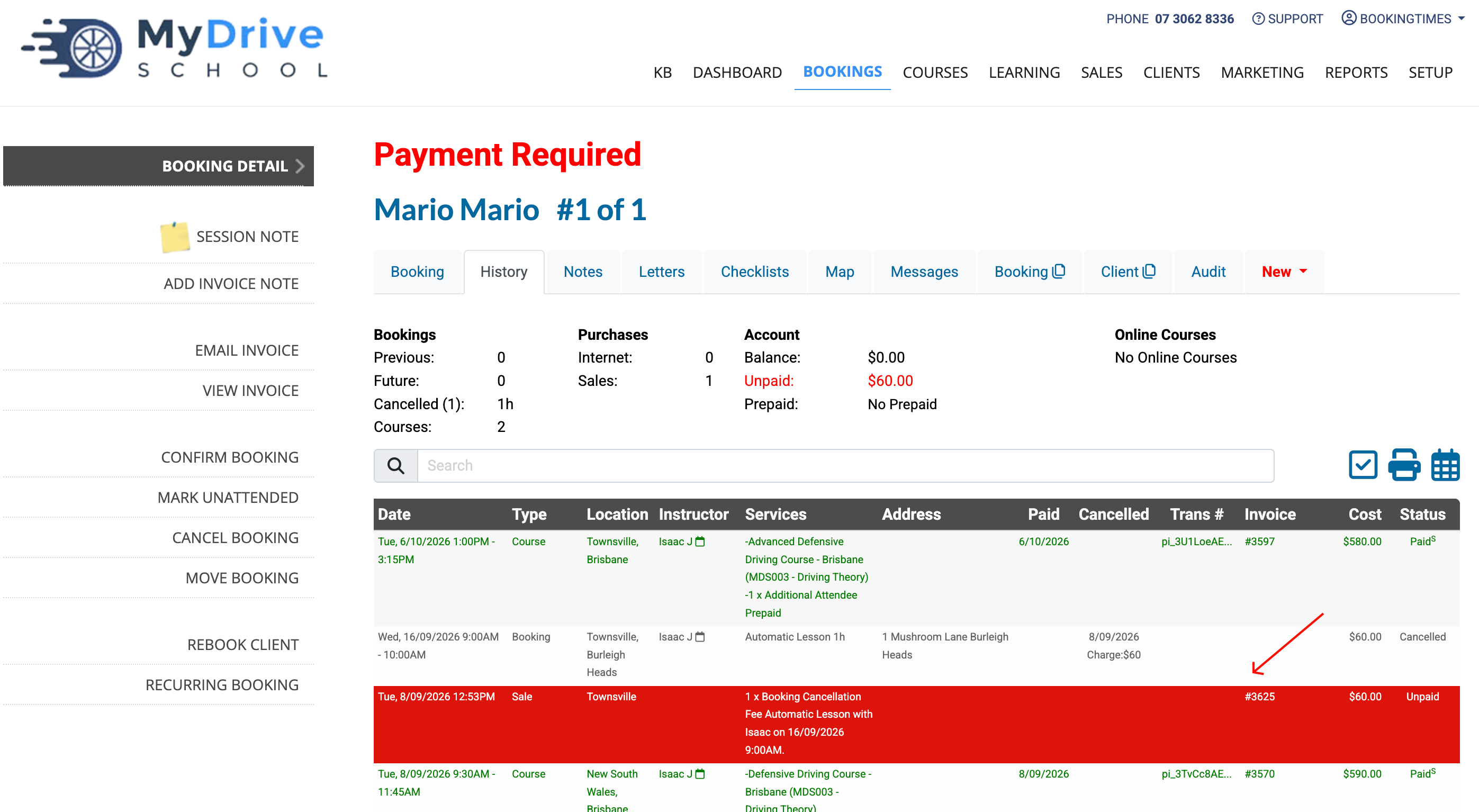
When you cancel a booking with a fee attached, BookingTimes raises an invoice for the amount the client forfeits. If that invoice is still unpaid, you can change the amount you want the client to forfeit or clear it completely straight from the booking — no need to touch the invoice separately.
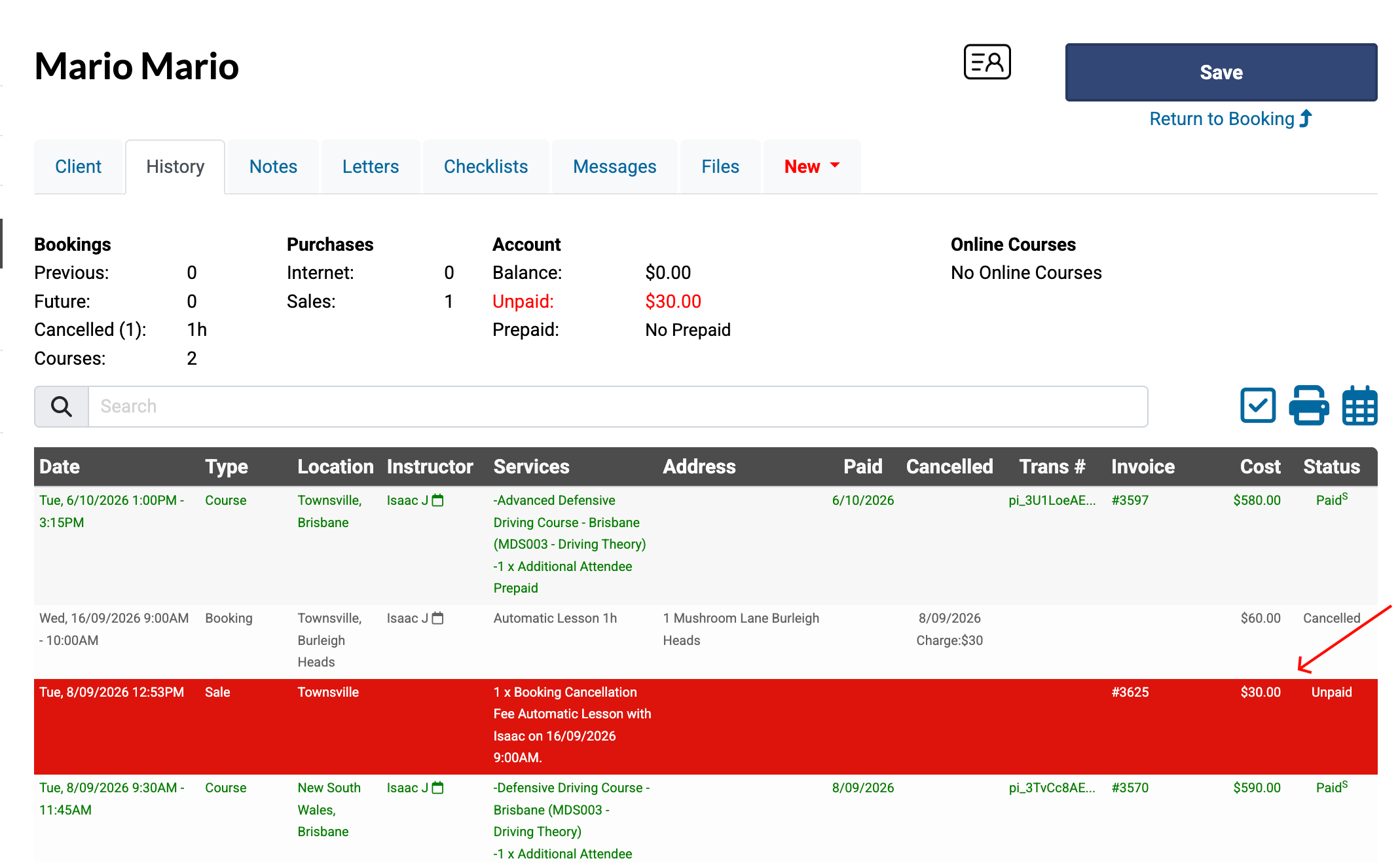
This applies to any cancelled booking with an unpaid cancellation fee (shown in red on the client's History tab).
Updating an unpaid cancellation fee
Steps
Search and select the client, then view the History tab.
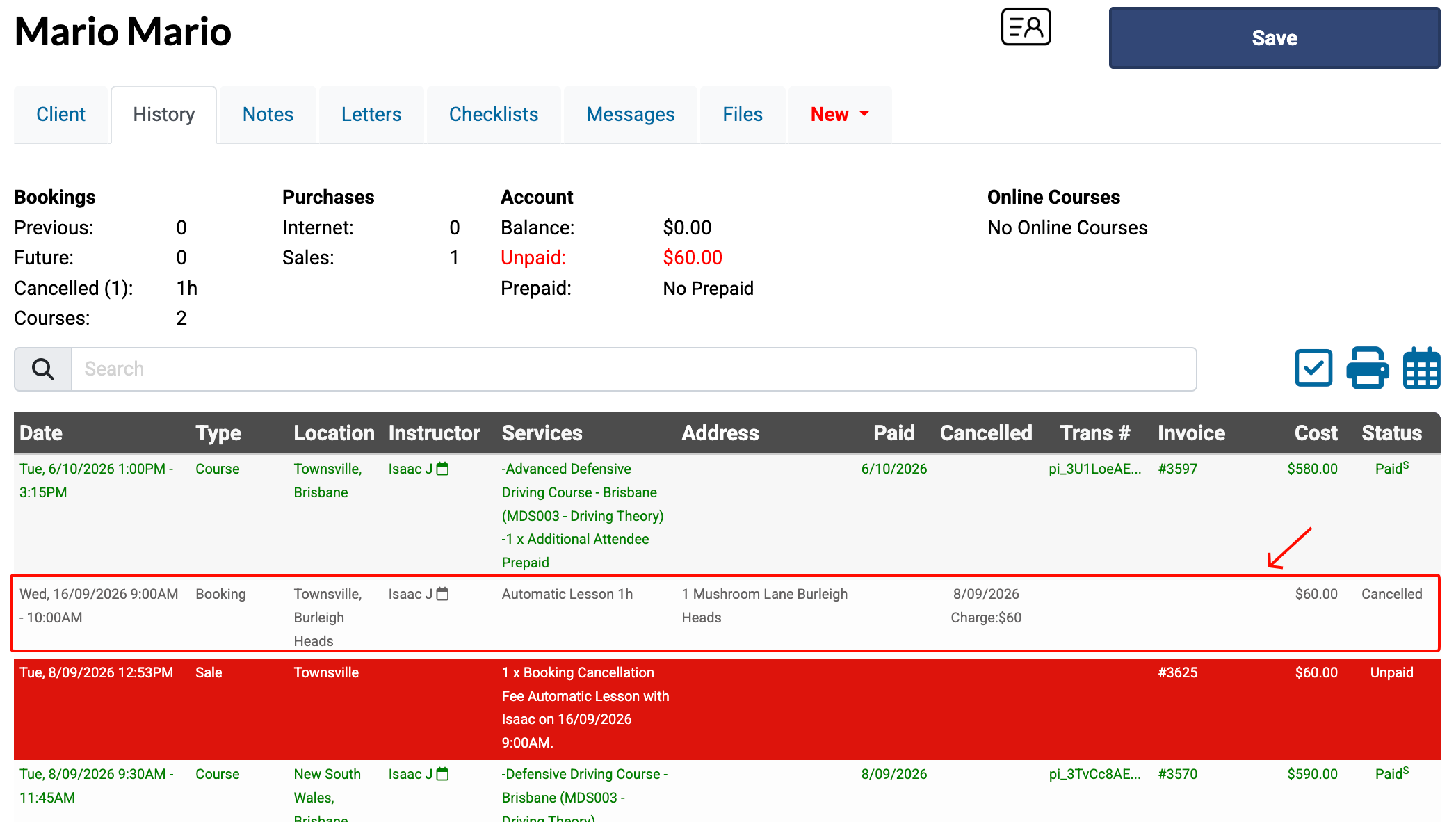
Select the Cancelled Booking then scroll down to see the Cancellation Fee with the linked invoice number listed above.
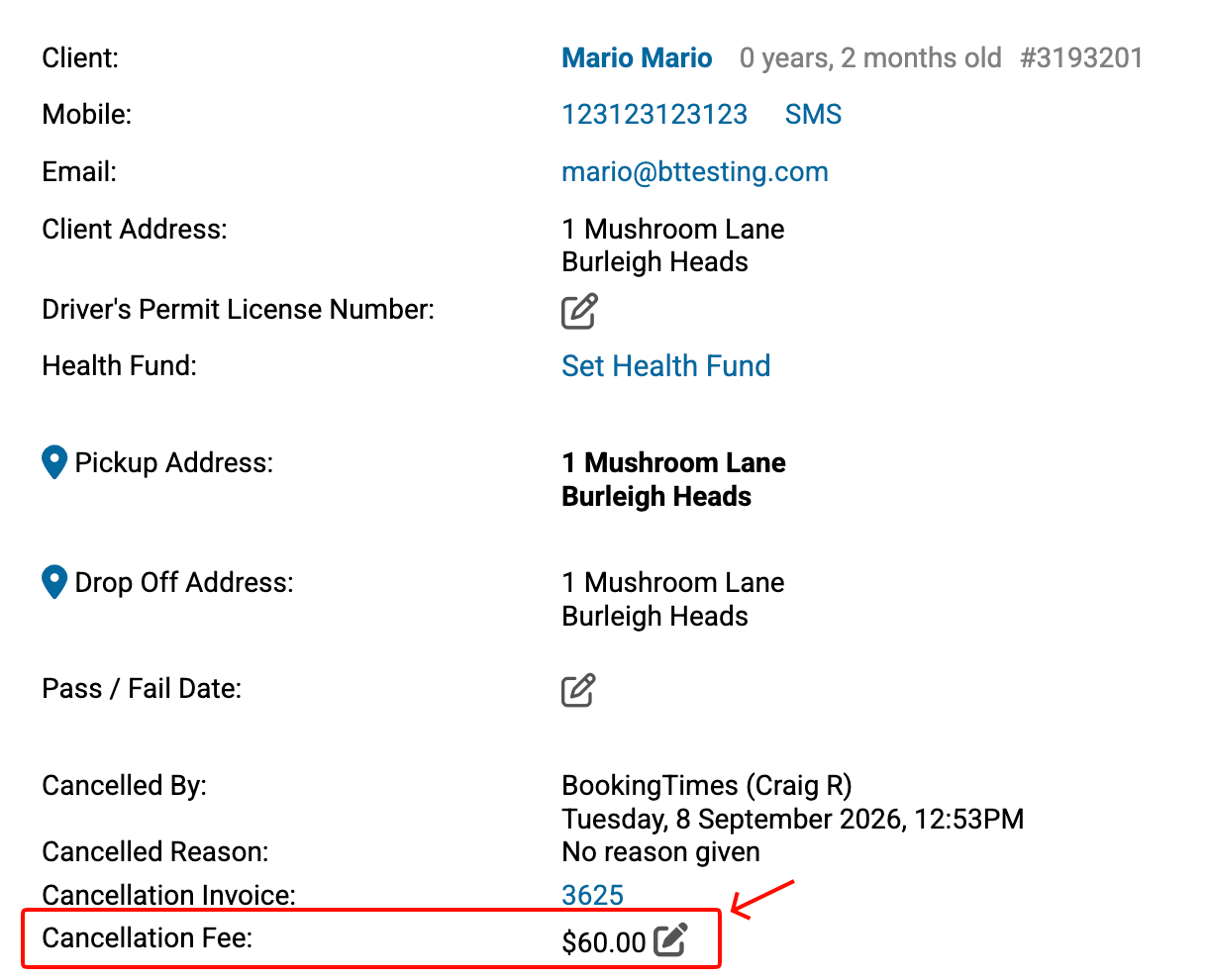
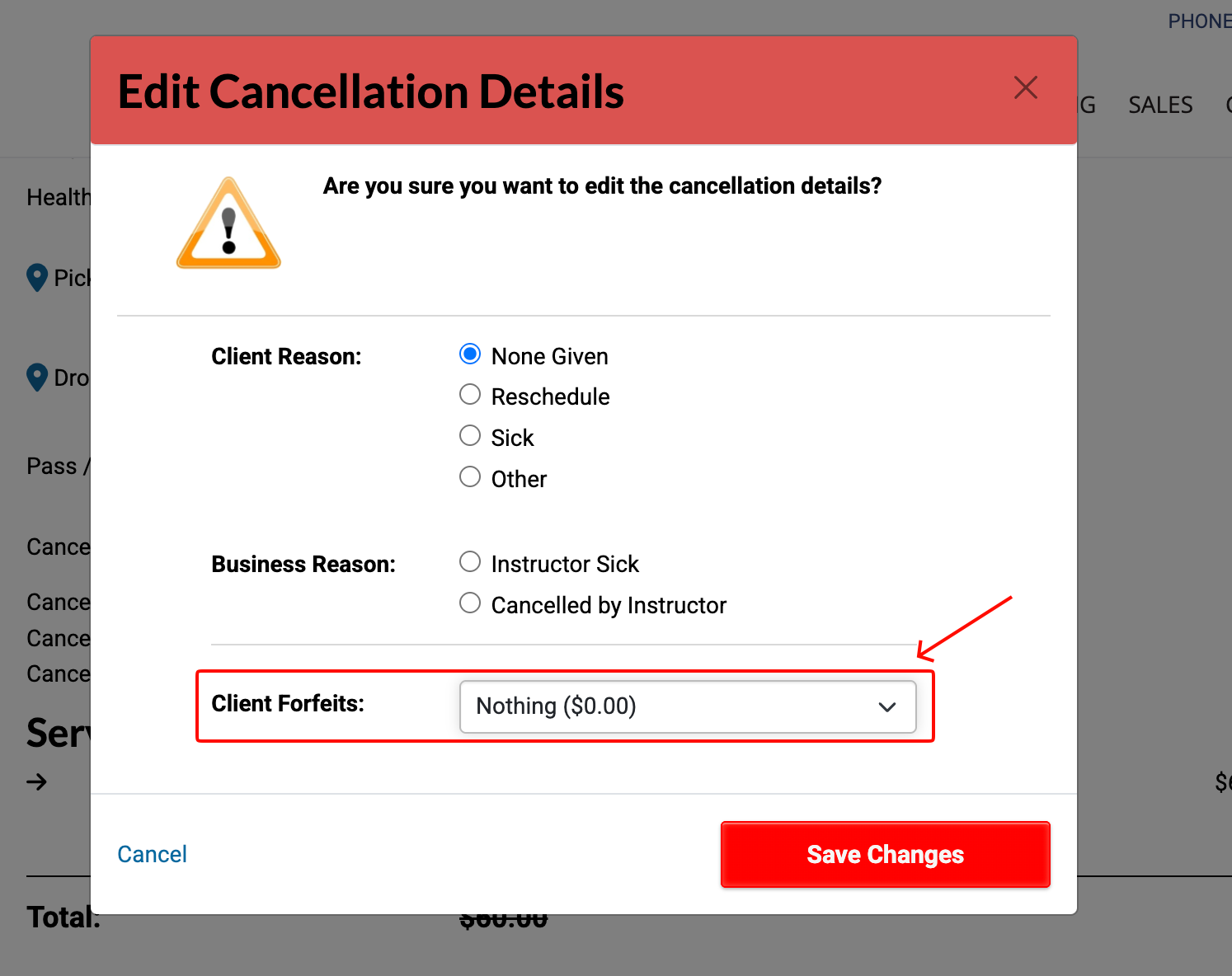
Click the edit icon next to the fee to display the Edit Cancellation Details popup.
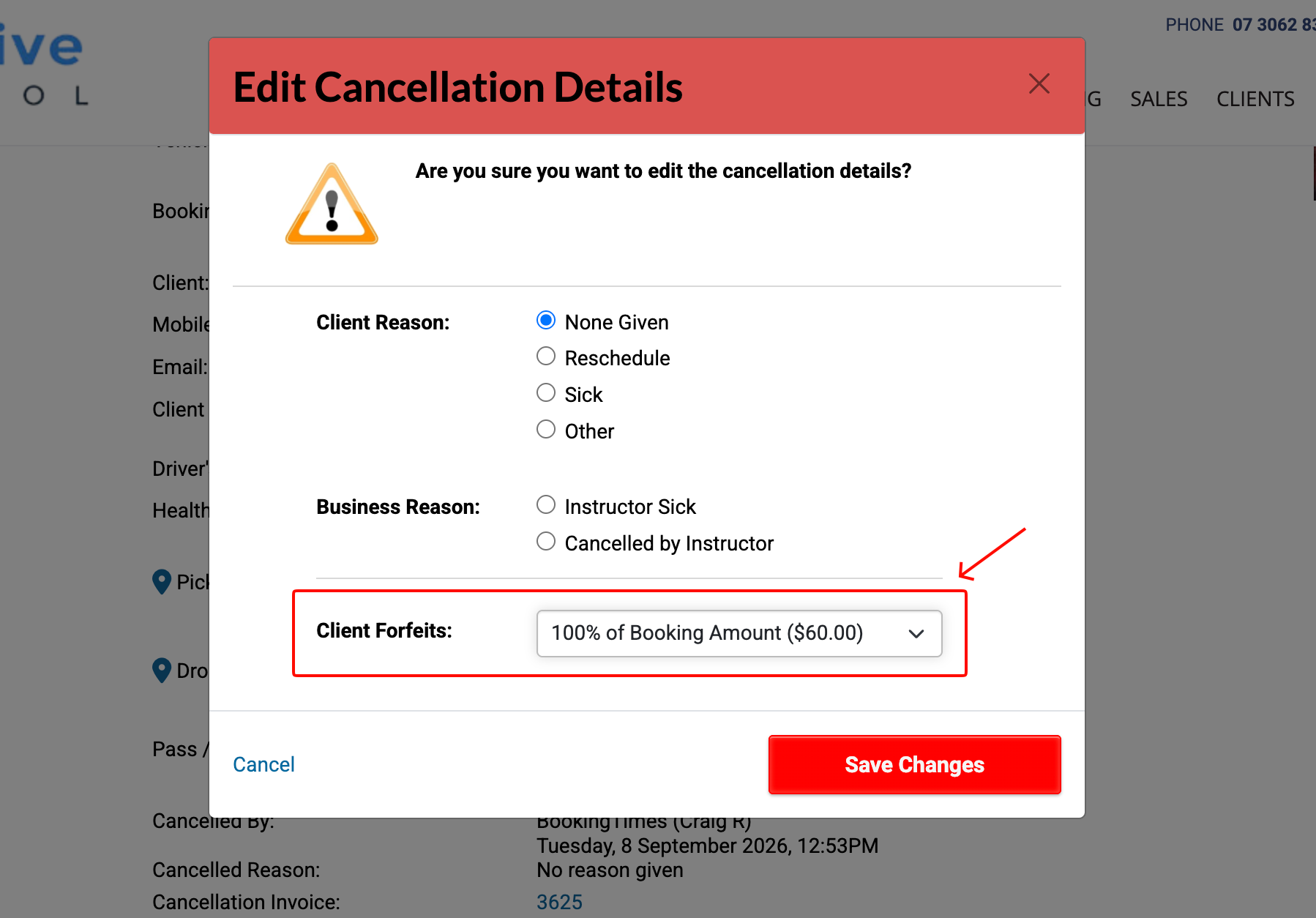
Set the new amount that the Client Forfeits, then click Save Changes.
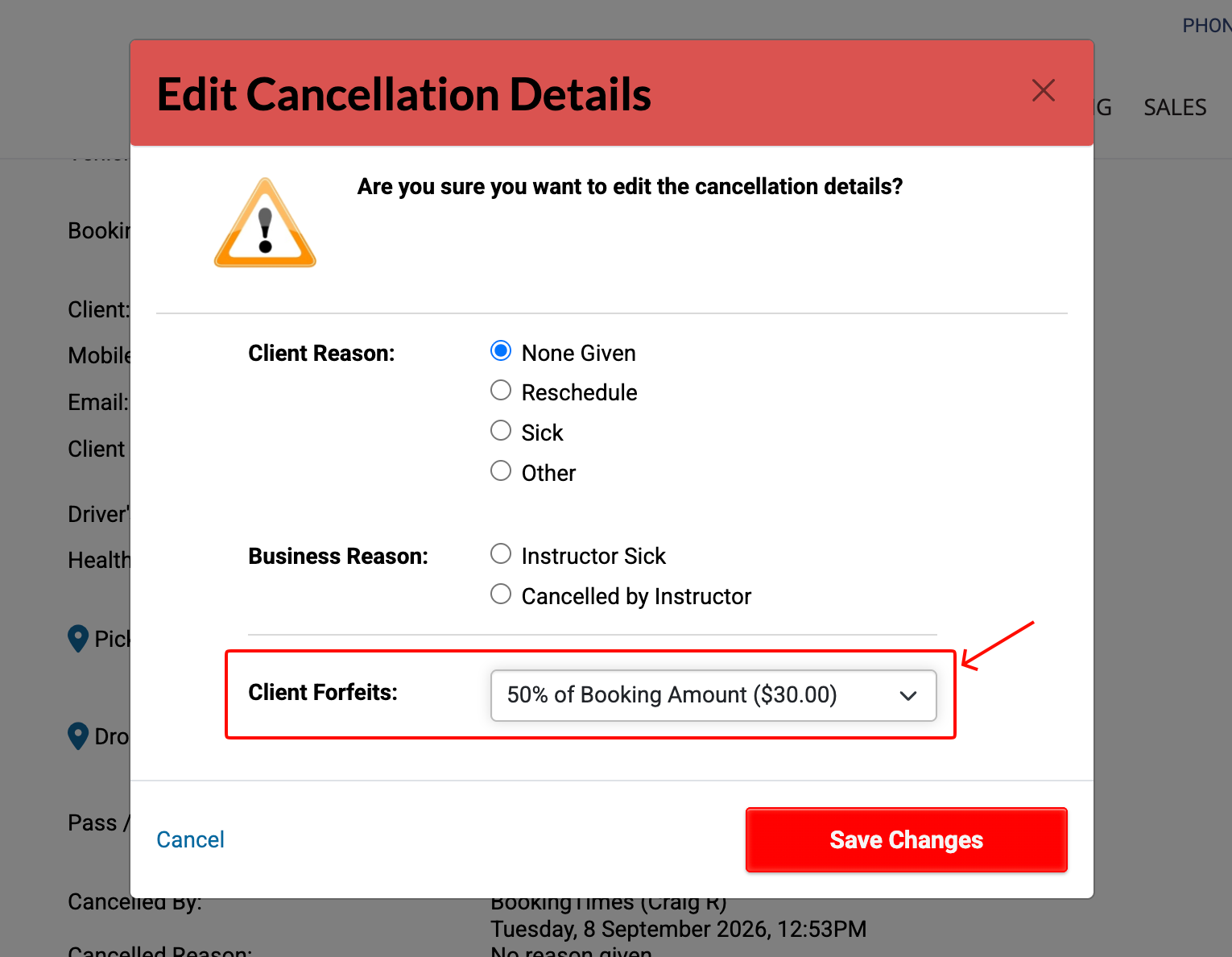
Confirm the Cancellation Fee has been updated:
You can confirm the new Cancellation Fee by viewing the Booking tab.
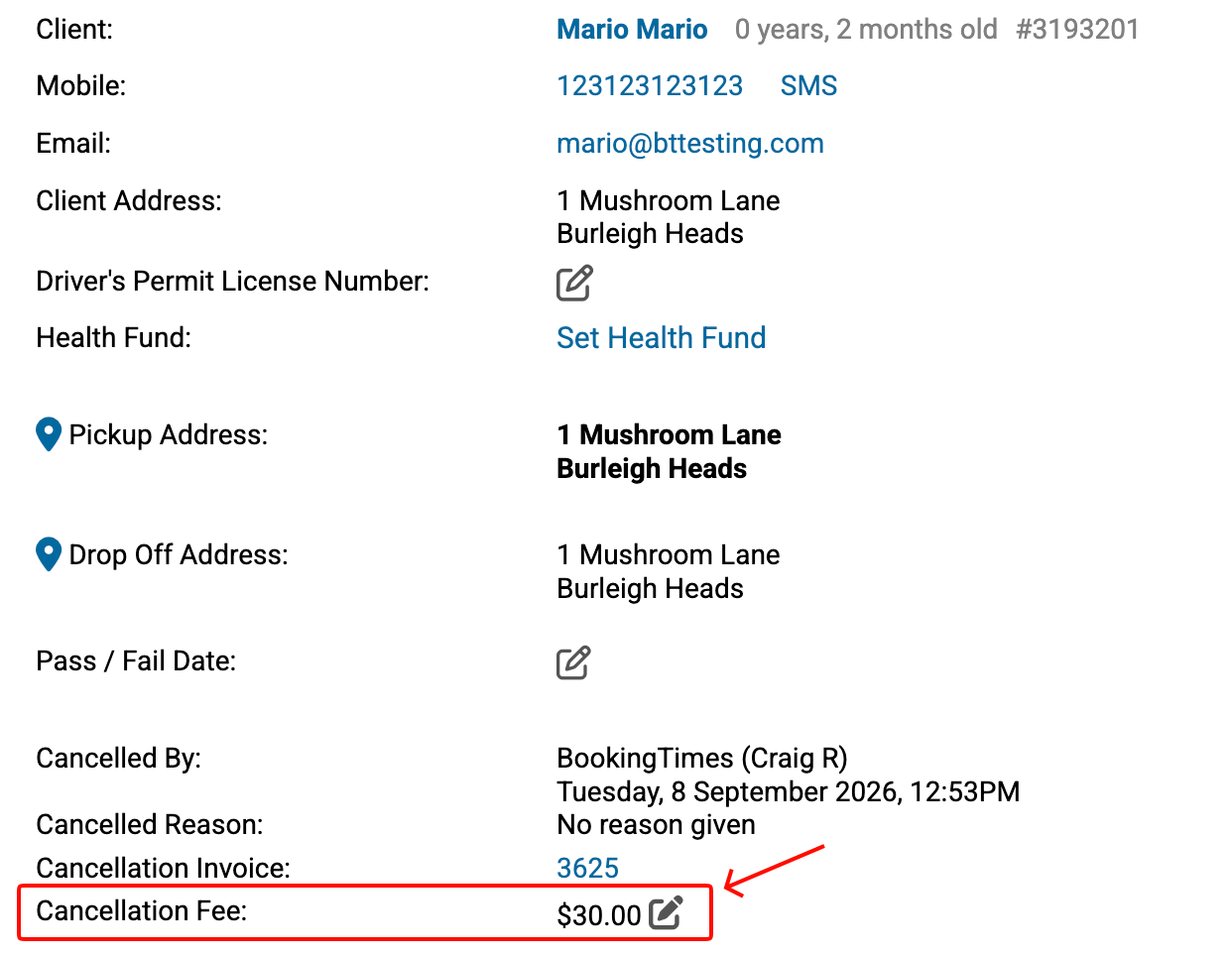
You can confirm the new Cancellation Fee by viewing the History tab on then client record.
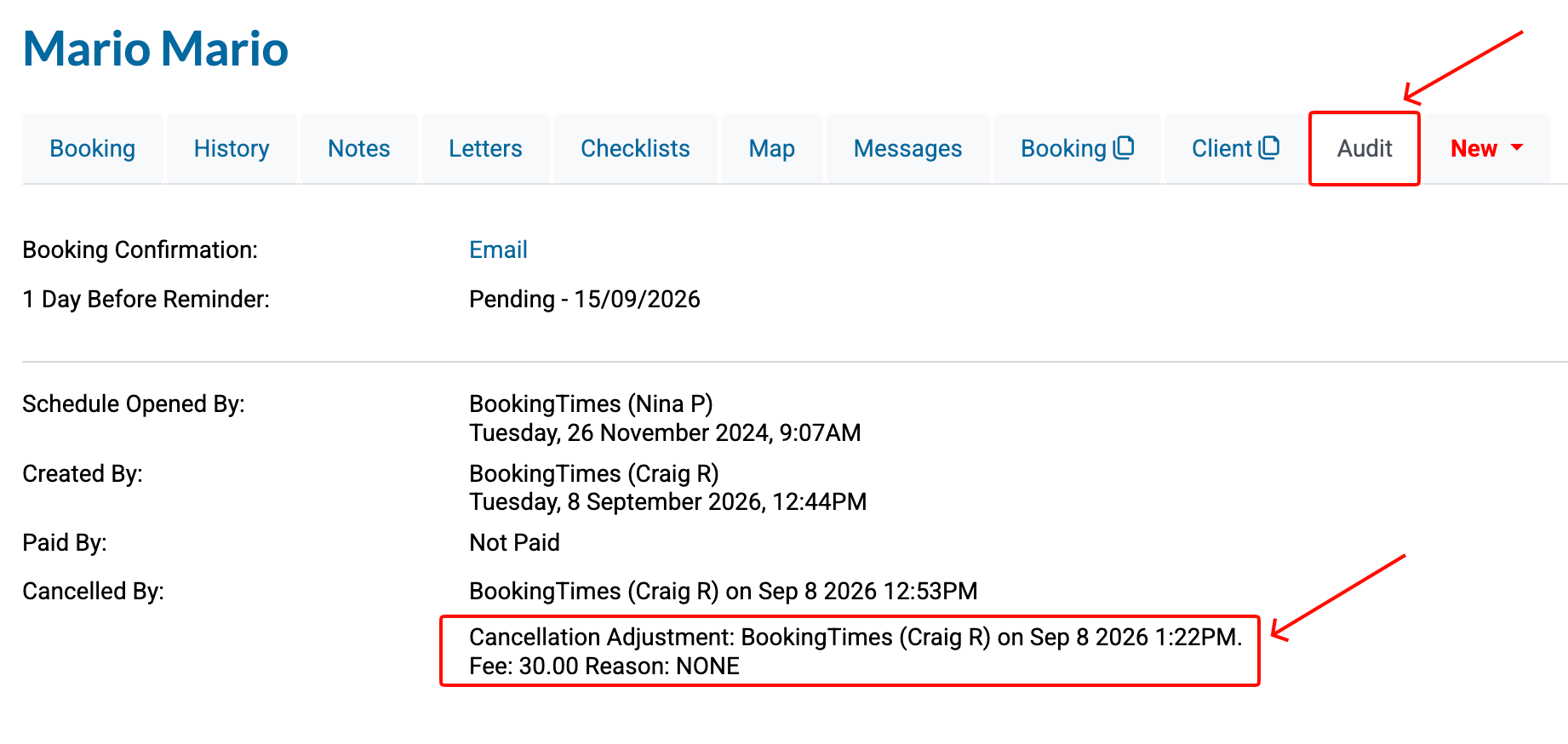
You can also confirm the adjustment to the Cancellation Fee on the Audit tab.
Deleting an unpaid cancellation fee
Steps
To Delete the Cancellation Fee entirely, follow the exact same steps above and select Nothing ($0.00) as the amount that the Client Forfeits.
On the Booking tab, you can now see the Cancellation Fee reads $0.00 and the Cancellation Invoice link is no longer visible.

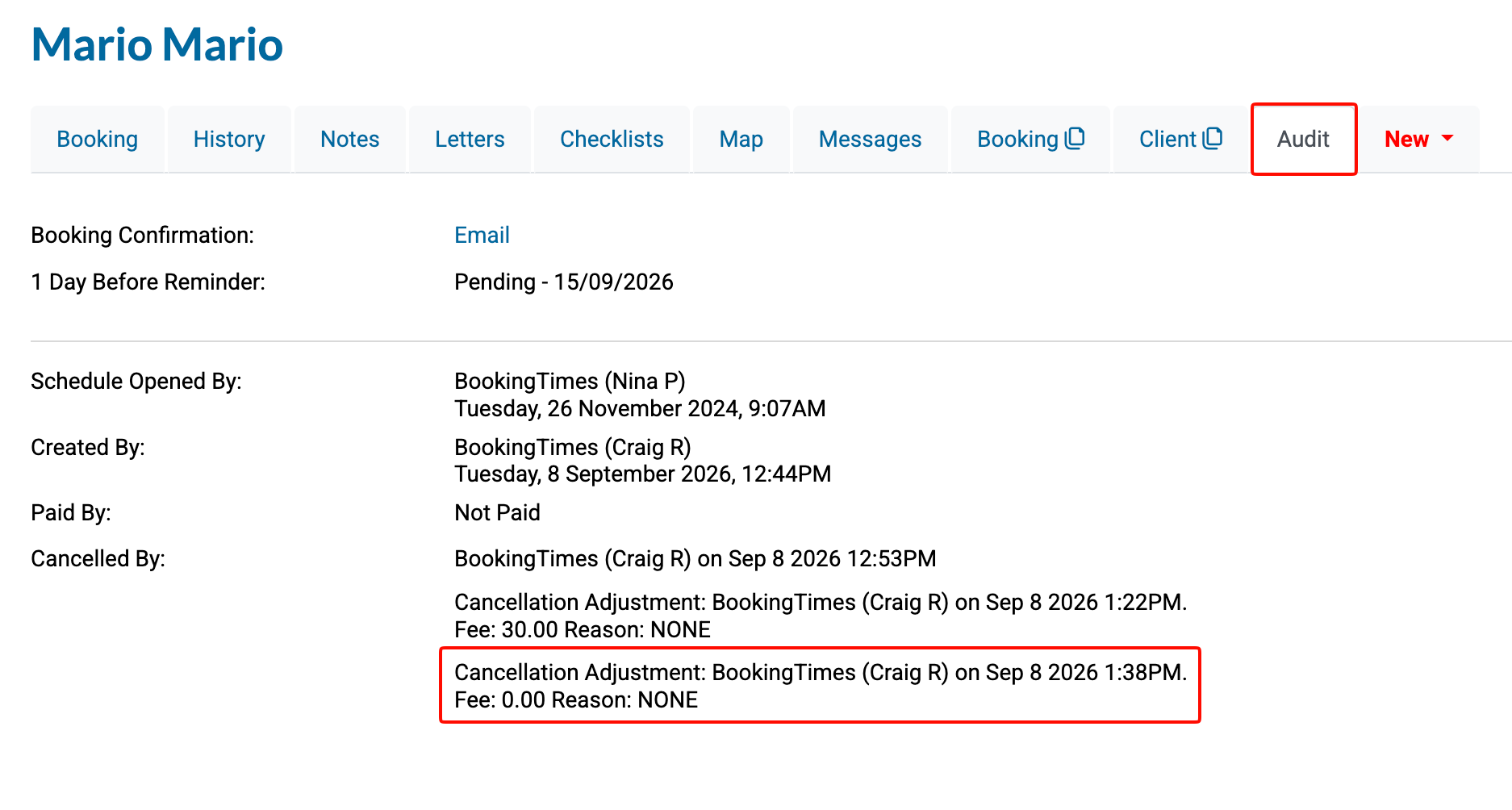
You can confirm the adjustment via the Audit tab on the booking record.
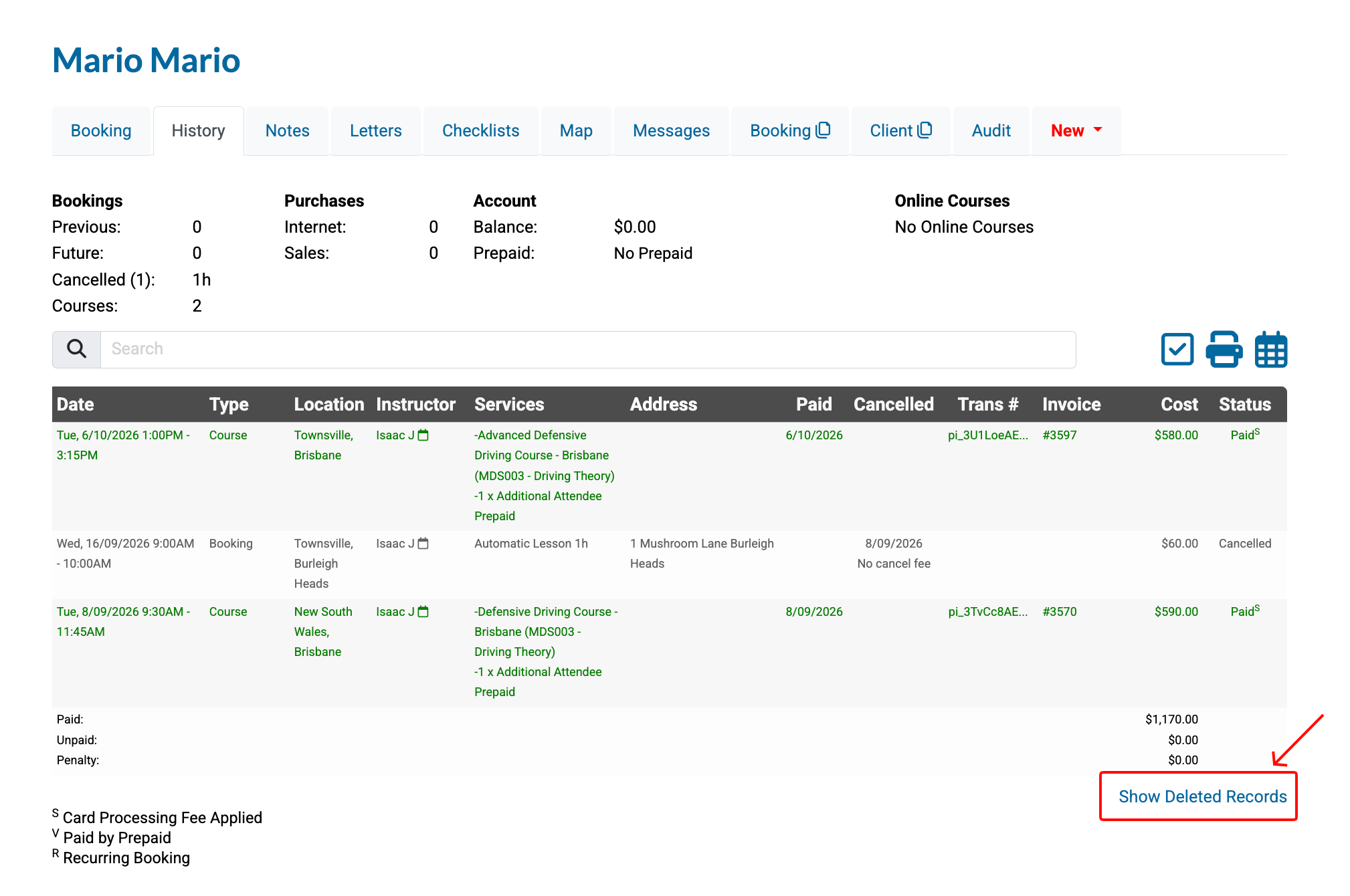
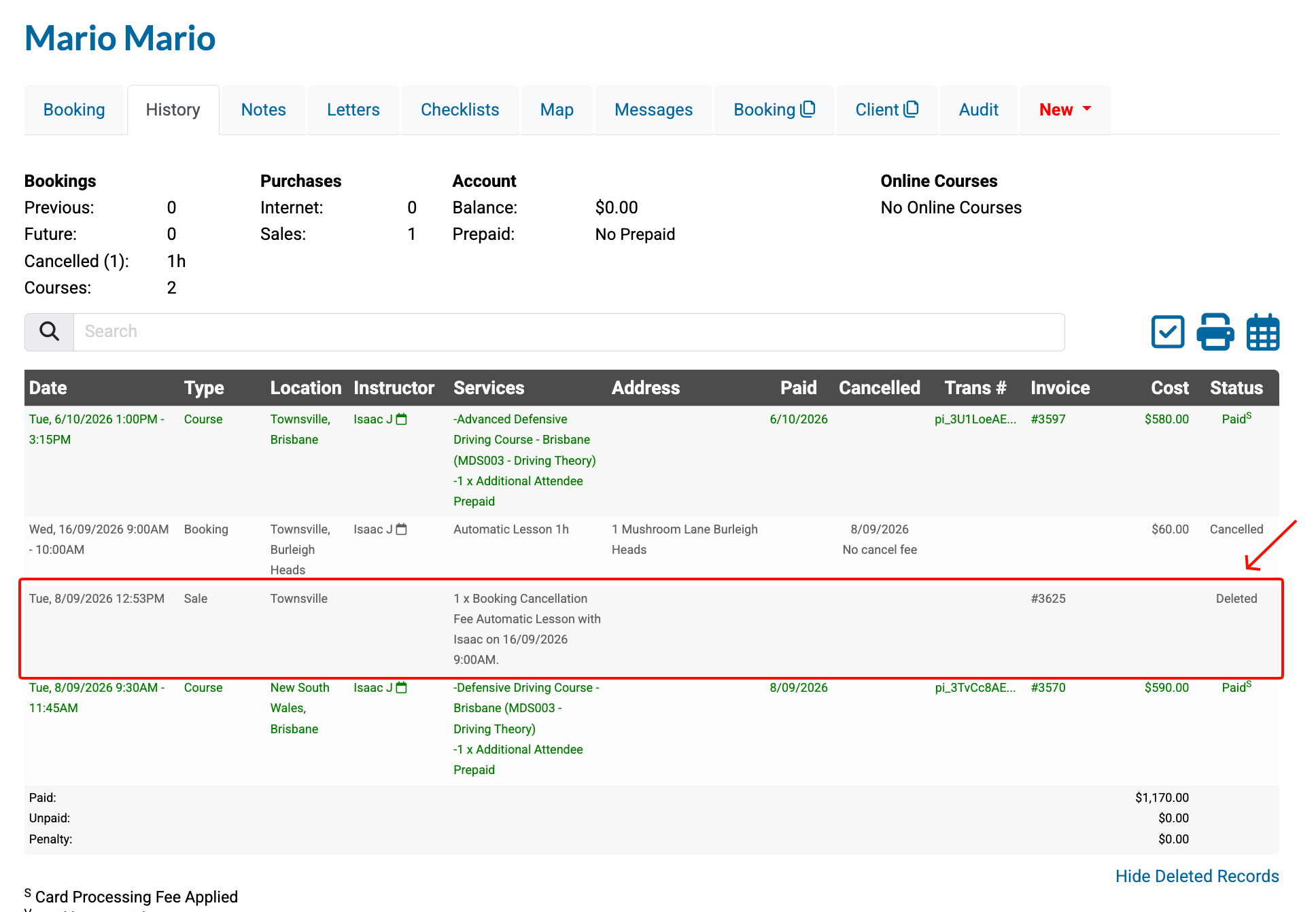
As the invoice for the Cancellation Fee has now been deleted it will be hidden from the default view on the History tab. To view the invoice simply click the Show Delete Records link.