Any online Credit card payments through BookingTimes’ payment processor will incur a transaction fee per transaction. You can cover some of this fee by passing on a credit card surcharge to customer which will be outlined below. The rates can be found via Setup > System Settings > Business Detail > Payments tab > Transaction Costs ‘Fees’ link.
Australian businesses only - no credit card surcharge can be set
On 1st October 2026, Reserve Bank of Australia’s (RBA) ban on card surcharges will come into effect for all Australian businesses. To comply with this new law, your credit card surcharge amount must be set to zero.
If you wish to update your prices for your available services and/or products to help cover this cost, please see the following article: How to make a price change
Steps
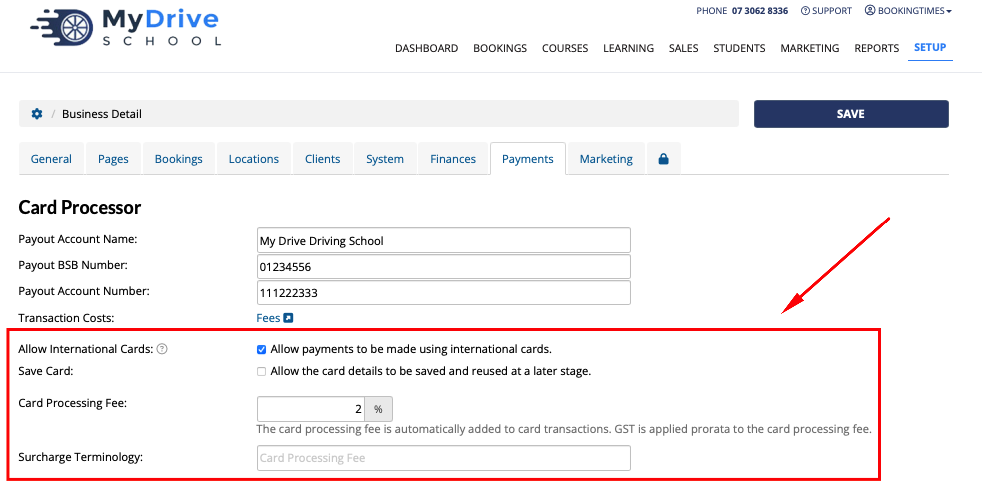
Navigate to Setup > System Settings > Business Detail > Payments tab
Enter the credit card surcharge into the Card Processing Fee field
Confirm the other configuration options including:
Ability to allow the use of international cards (as they attract a higher fee)
Saving card details so they can be reused
Set the surcharge terminology that is displayed on the invoice
Click Save
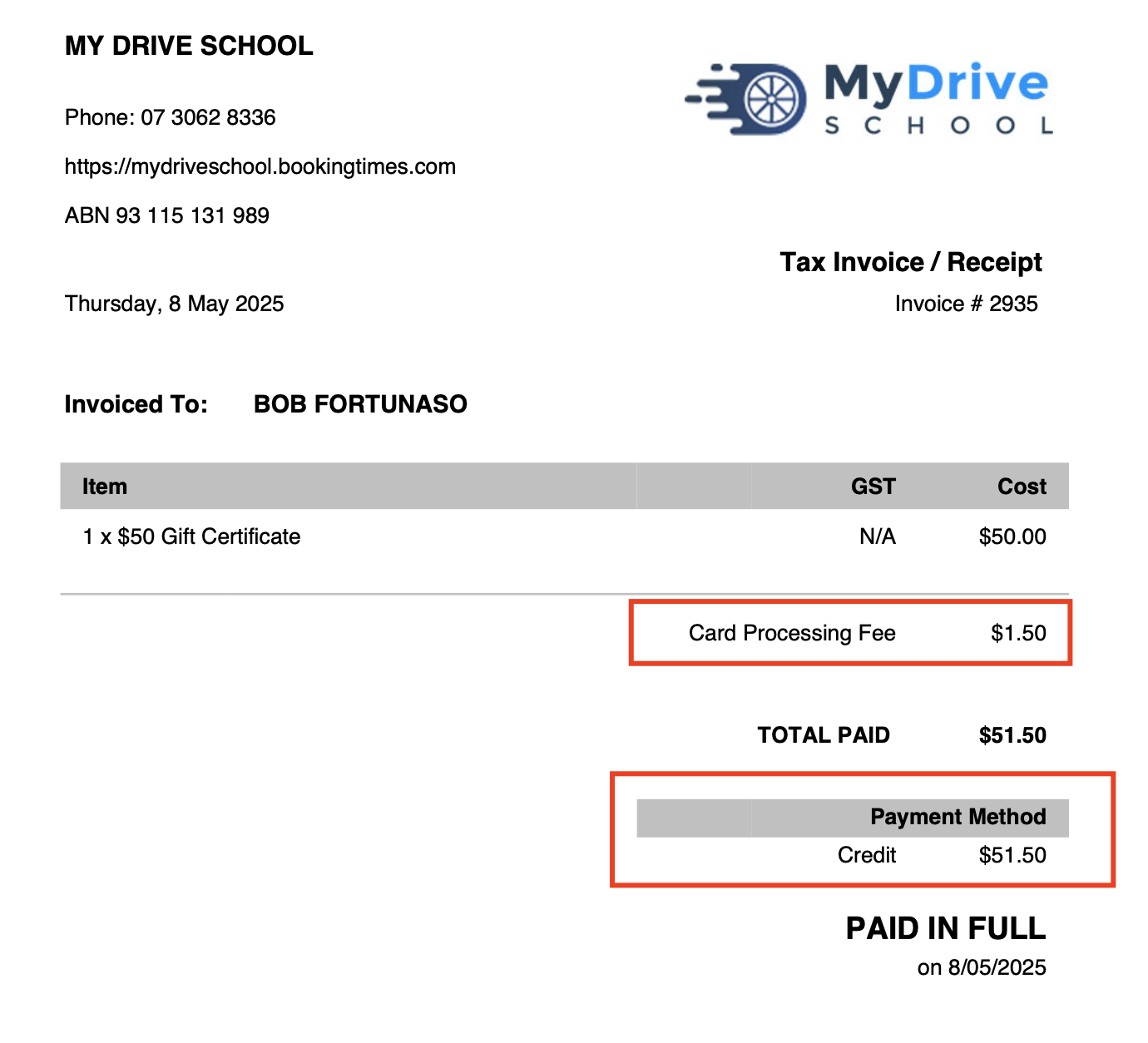
The surcharge will appear as follows on a clients invoice
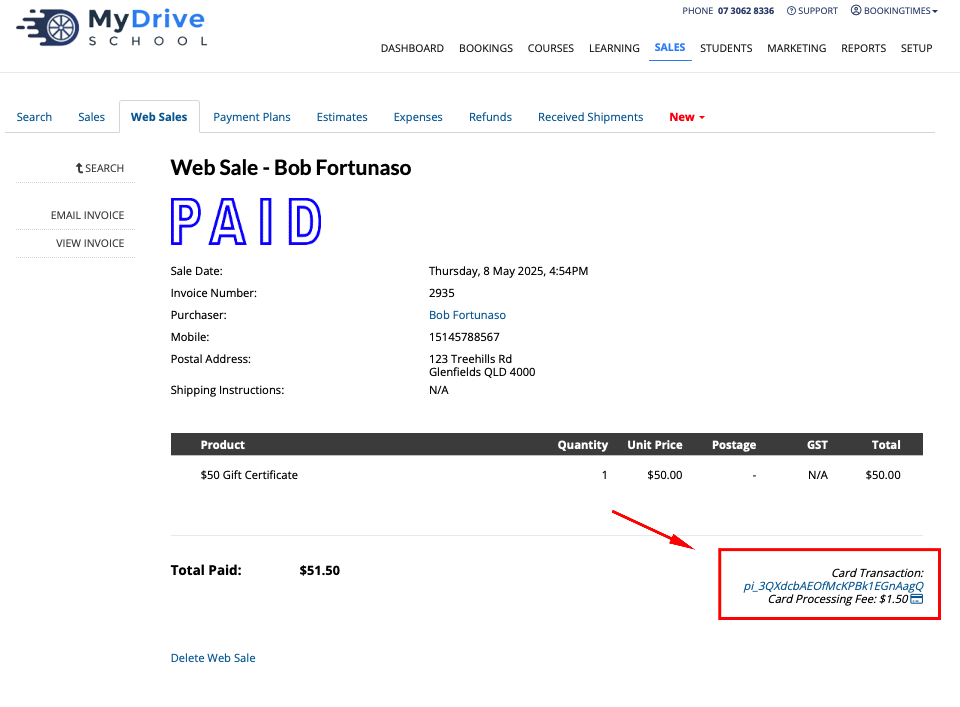
The surcharge will appear as follows to the BookingTimes admin as follows at the bottom of any booking or sale
Any surcharge will also be itemised on the Income report. To reconcile the exact fees charged by the payment processor please see the Receiving online payouts article