This feature is available on these plans (view pricing)
The booking calendar can be restricted to only specific services.
For example:
You could restrict bookings to only manual or automatic driving lessons for an instructor on a specific day.
You could restrict bookings to only higher priced “night” services after a specific time.
Steps
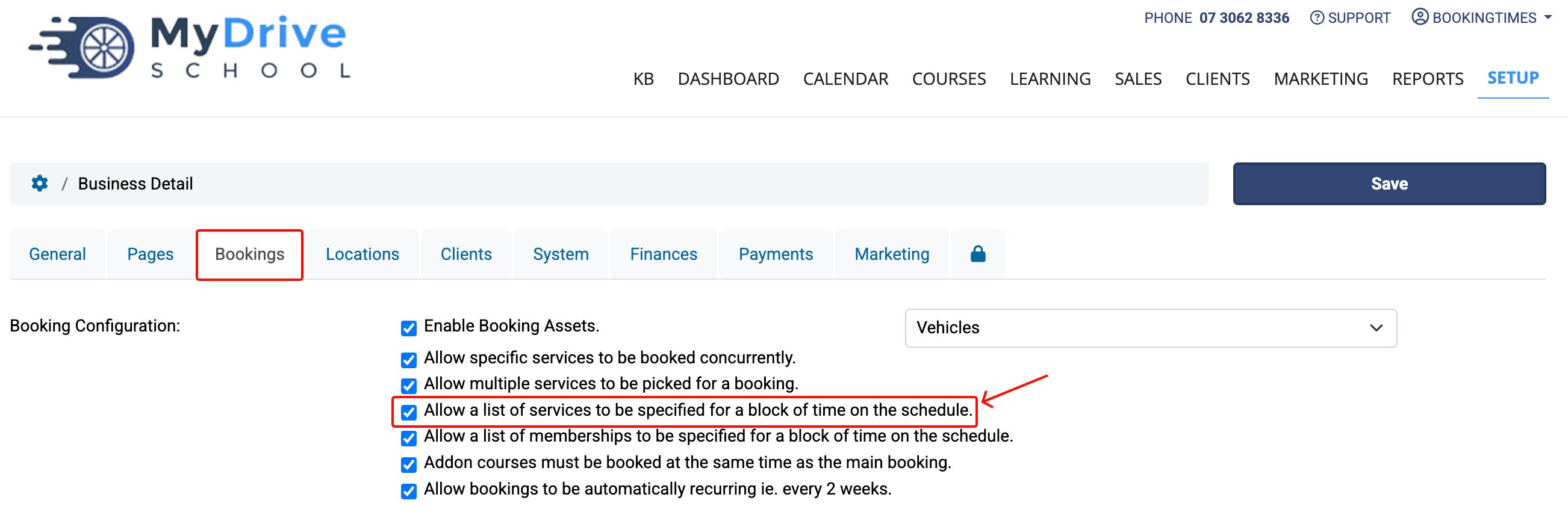
To enable this option, navigate to Setup > System Settings > Business Detail > Bookings (tab)
Under Booking Configuration, select Allow a list of services to be specified for a block of time on the schedule.
Click Save.
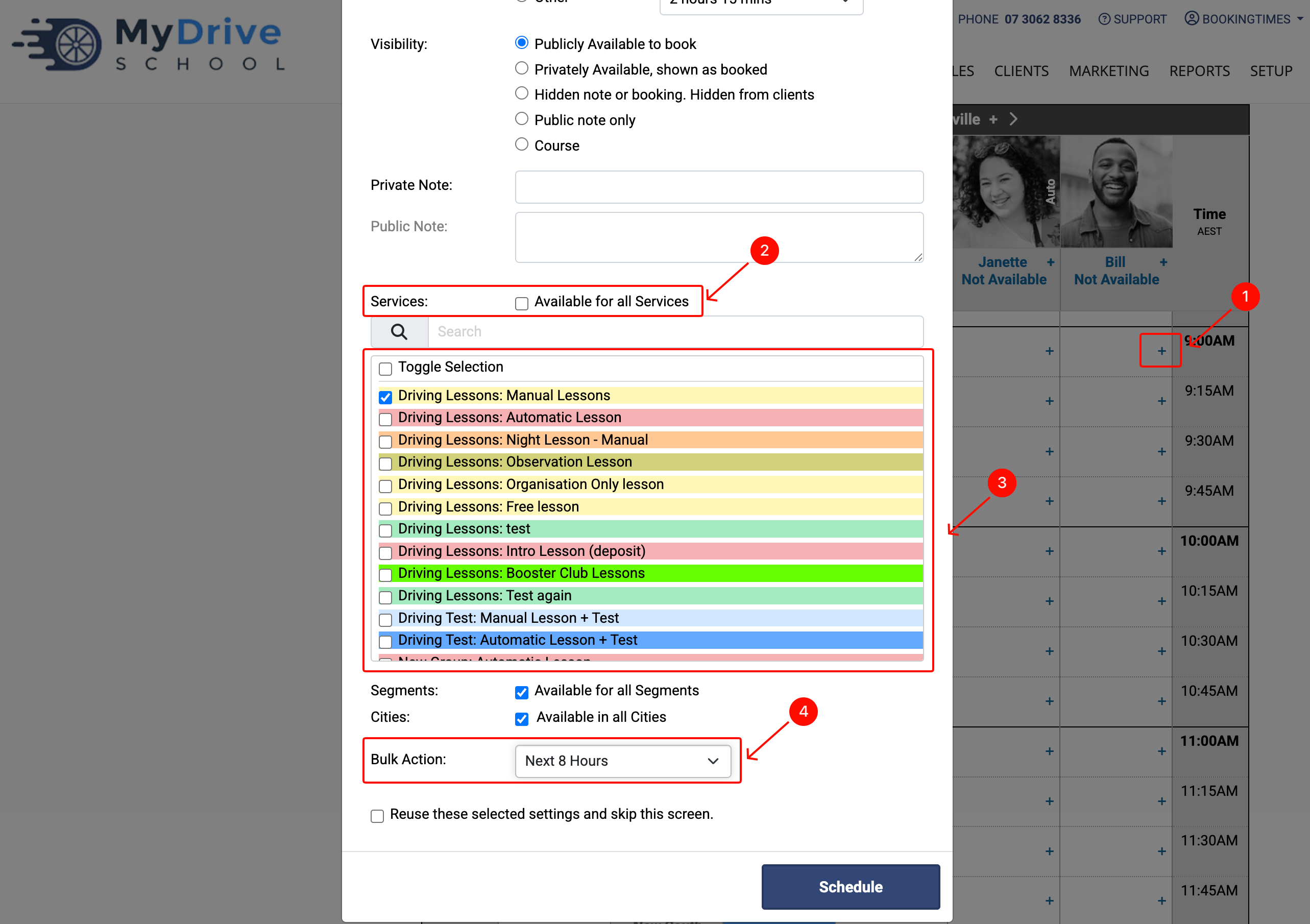
To restrict the calendar, click on the Bookings main menu item to navigate to the booking calendar
Click on the “+” of the timeslot that you wish to restrict to certain services
Unselect Available for all services (Note: this will be selected by default)
Select the services you wish to be made available for the selected timeslot
Use the Bulk Action drop down list to apply to desired timeslots
Click Schedule button
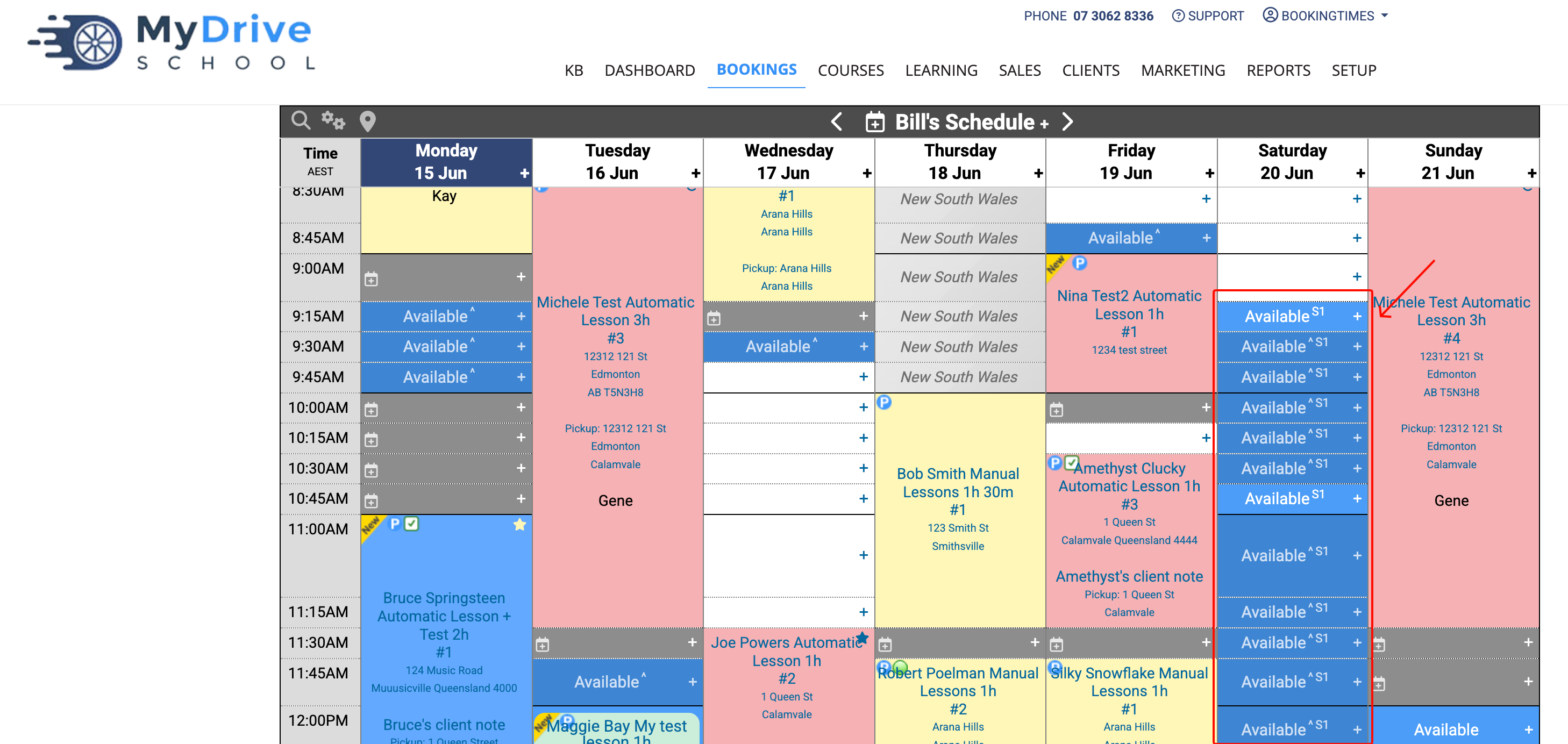
As an admin you can see the affected timeslots marked to show they have service restrictions applied. As an example, in the screenshot below you can see “S1” where “S” = service, and “1” = the number of services selected in previous step.
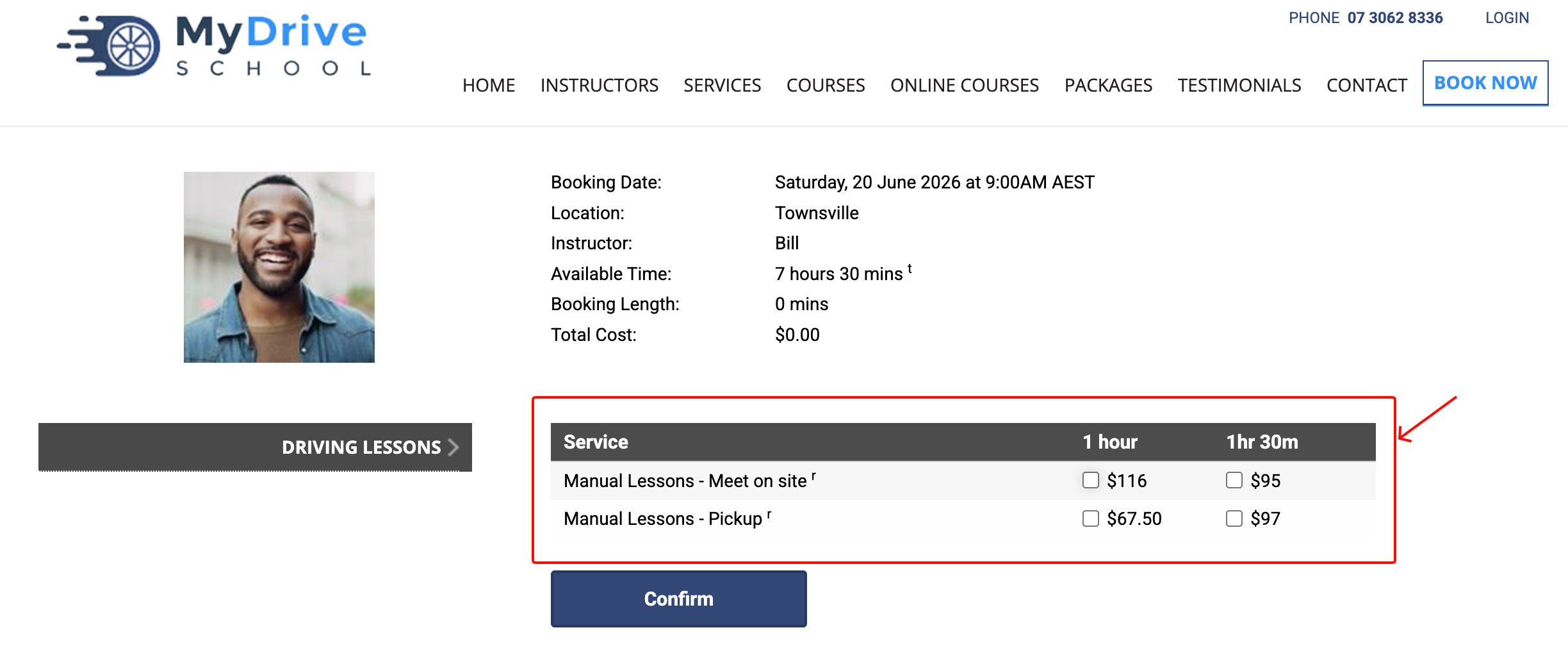
Note: when the service restriction(s) have been added, this is how it will look to a client.