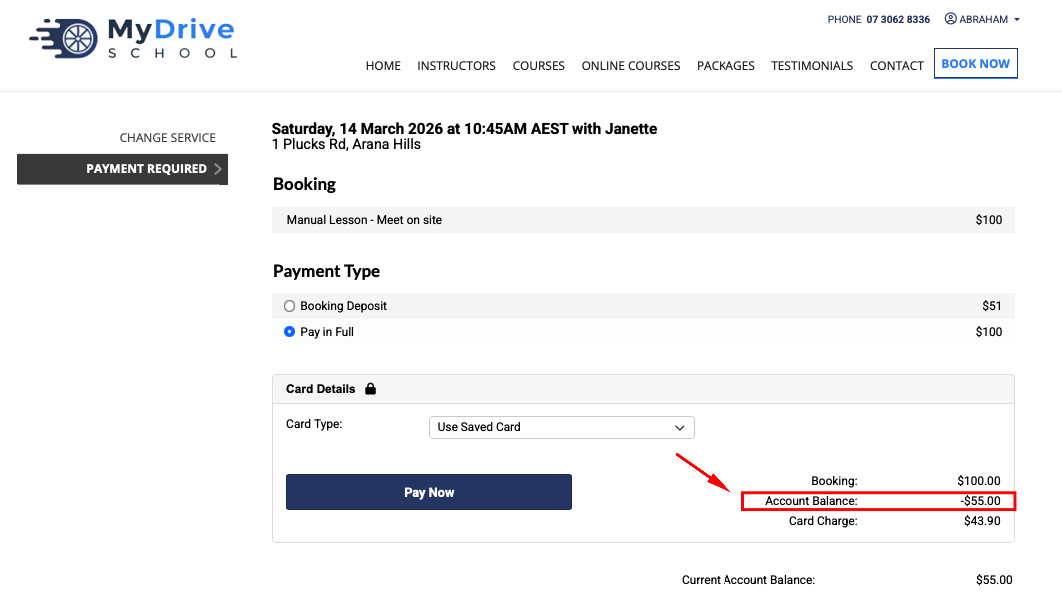
BookingTimes allows payment with a Client or Organisation's Account Balance for bookings and product sales. This will deduct the specified value from the Account Balance, and will be recorded in the Client or Organisation's profile. There are differences in what is allowed as admin user versus a client.
This article details how an admin user can pay for a booking or sale with an Account Balance for both normal accounts, and chargeable accounts (which can have a negative balance), which have an existing positive balance on them.
Chargeable Accounts
To enabled negative deductions (deductions below $0.00) from an Account Balance, to be paid later, you must first enable a Chargeable Account for the Client or Organisation. Refer to the Setting up a client with a chargeable account article for more details.
Noting that clients themselves can only use their Account Balance to pay for bookings (not sales) if that option is enabled. Only an admin is able to apply an Account Balance for Product Sales.
Admin - Paying for a booking or product sale with an existing account balance
A Client or Organisation may have an existing positive Account Balance. One example of this occurring would be after data has been imported into BookingTimes from a previous system, there might have been an outstanding balance or voucher on a client's account, that needed to be reflected in the new system.
Steps
Process the Booking or Product Sale as per normal.
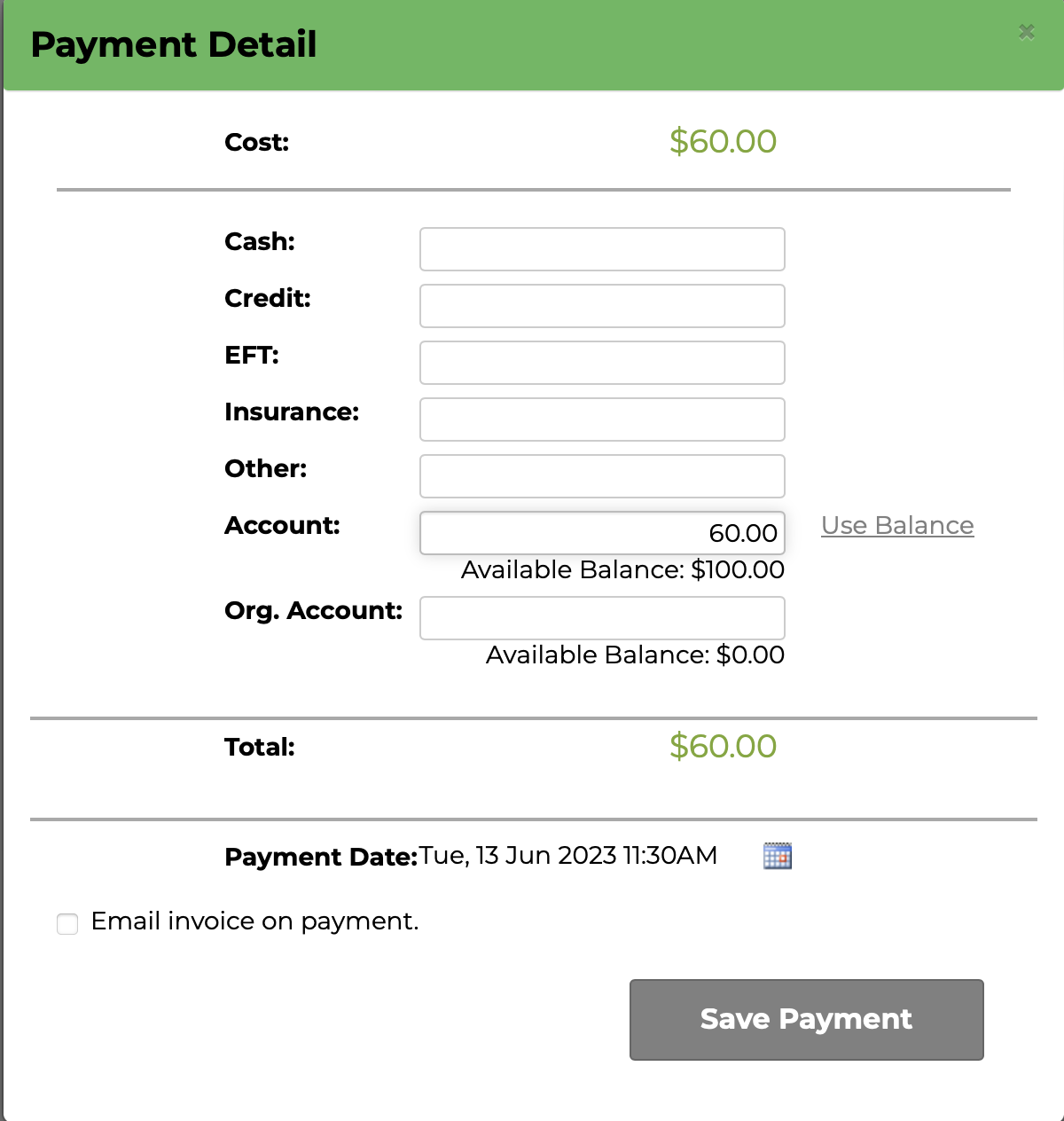
On the Payment Detail screen, click the Use Balance link next to the Account field or enter the amount to deduct from the Account Balance
Click Save Payment
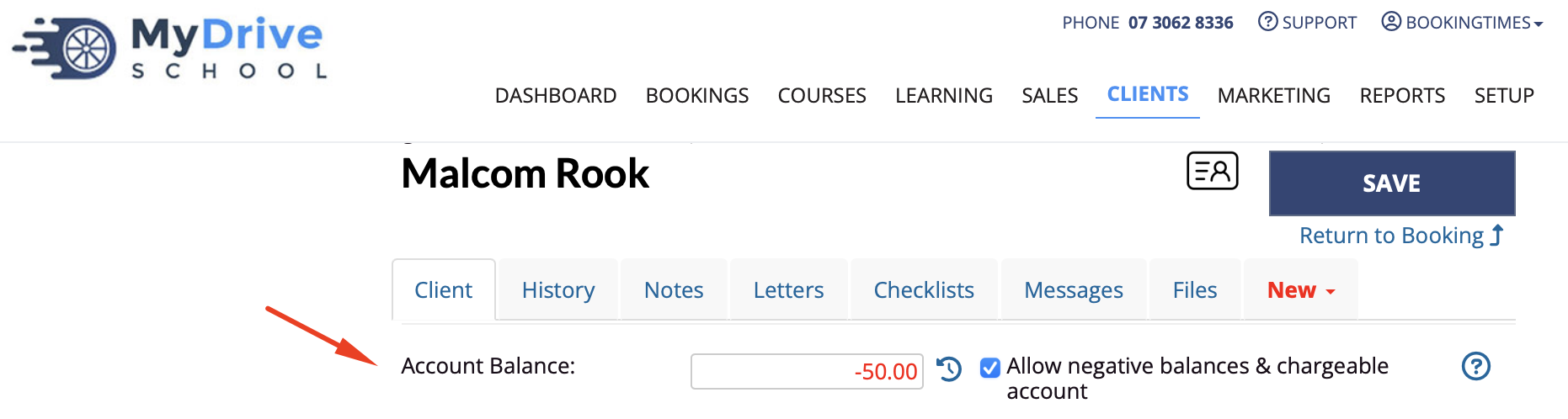
4. To see the client's account balance at any time, select the client and scroll down to the Account Balance

Admin - Paying for a booking or product sale with a chargeable account balance
Steps
Process the Booking or Product Sale as per normal.
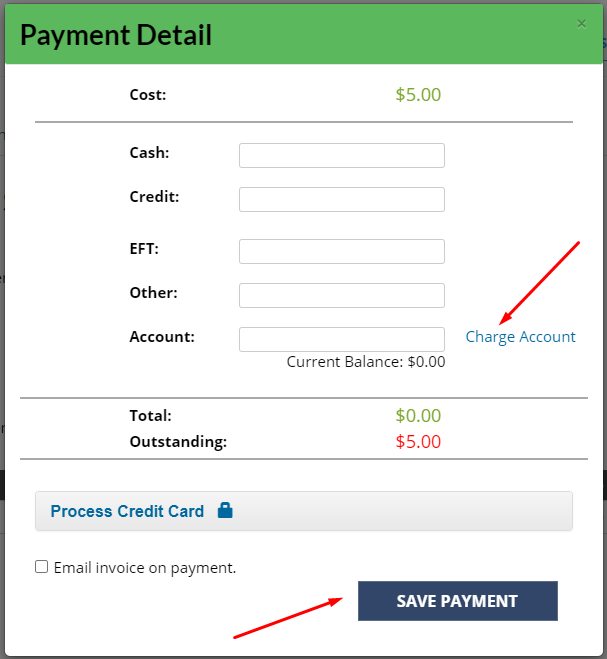
On the Payment Detail screen, enter the sale value in the Account field or click Charge Account
Click Save Payment
4. To see the client's account balance at any time, select the client and scroll down to the Account Balance
Client - Paying for a booking with an existing account balance
A client is are able to use their Account Balance to pay for any bookings if this option is enabled (not any product sales, only admins can do that).
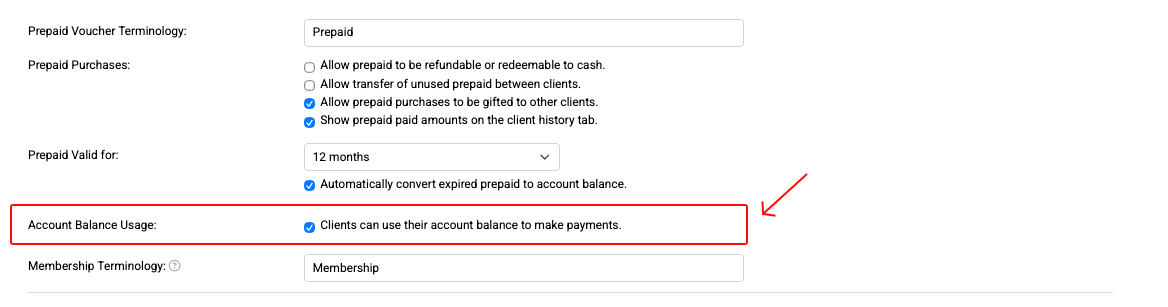
Enabling clients to use account balance
This can be enabled as follows via Setup > System Setting > Business Detail > System tab > Account Balance Usage check box
Booking deposits
Please note that an account balance cannot be used as a deposit for any services.
Steps
(Admin) Ensure this option is enabled via Setup > System Settings > Business Detail > System tab > select Clients can use their account balance to make payments and Save.

When a client is logged in and ready to pay for a service they’re booking into, any available account balance will appear and will be automatically deducted from the total amount.