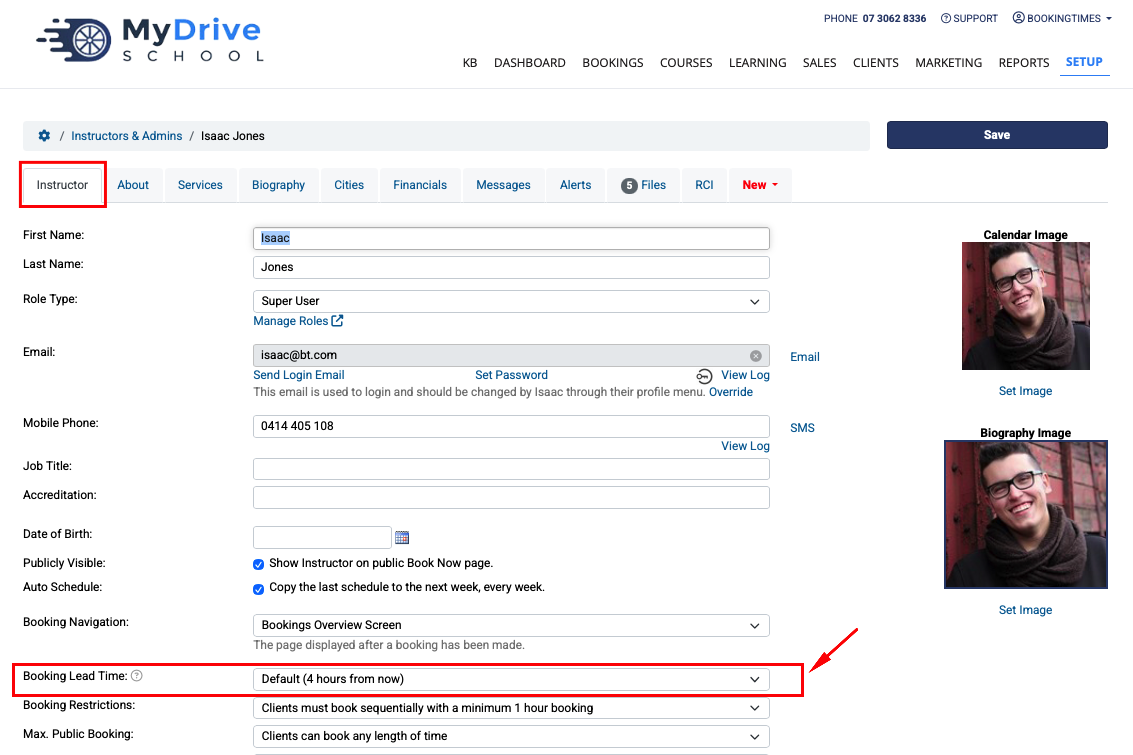
You are able to set up a specific booking lead time, so you can determine how much notice you'd like before new online bookings can be made.
There are several places that this can be configured - at a global business level, and then also at a service and staff member level. If only the business level is set, this lead team will be applied as the default to services and staff member lead times.
If they are different, the staff member's booking lead time takes precedence for non-course bookings, then the service, then the business level lead time.
Business level booking lead time
Steps
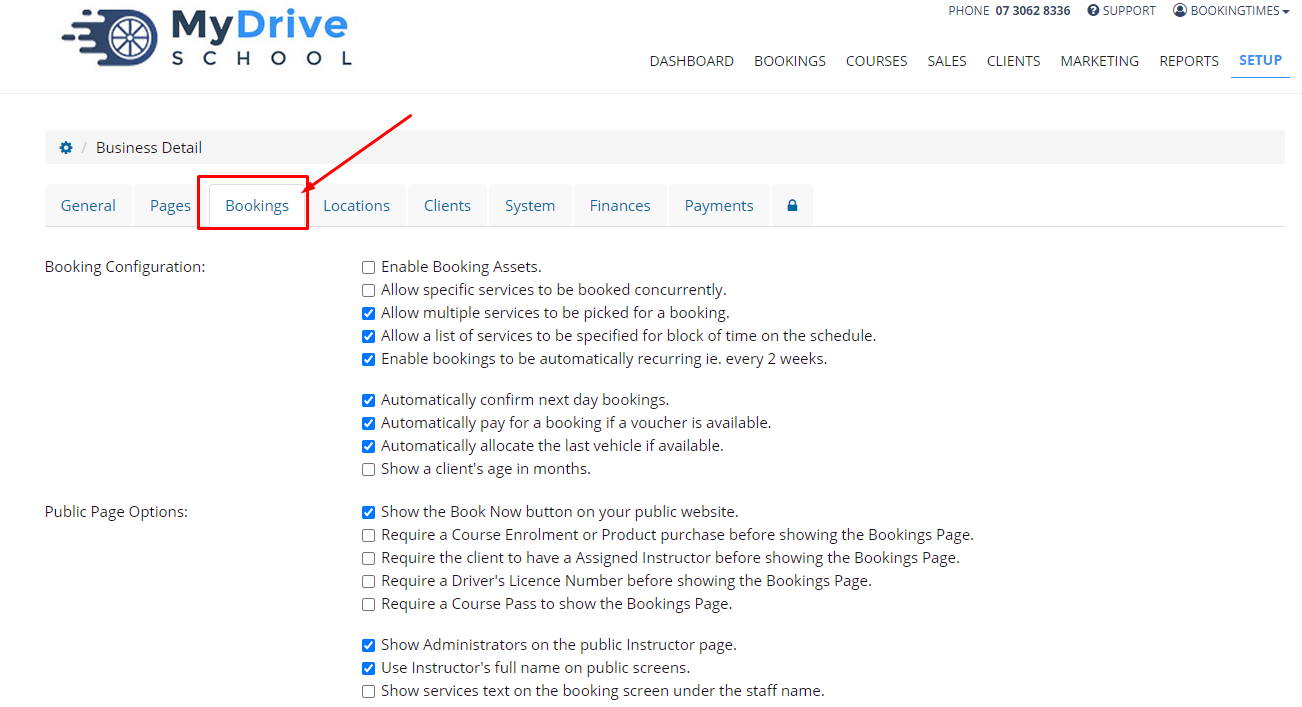
Navigate to Setup > System Settings > Business Detail
Select the Bookings tab
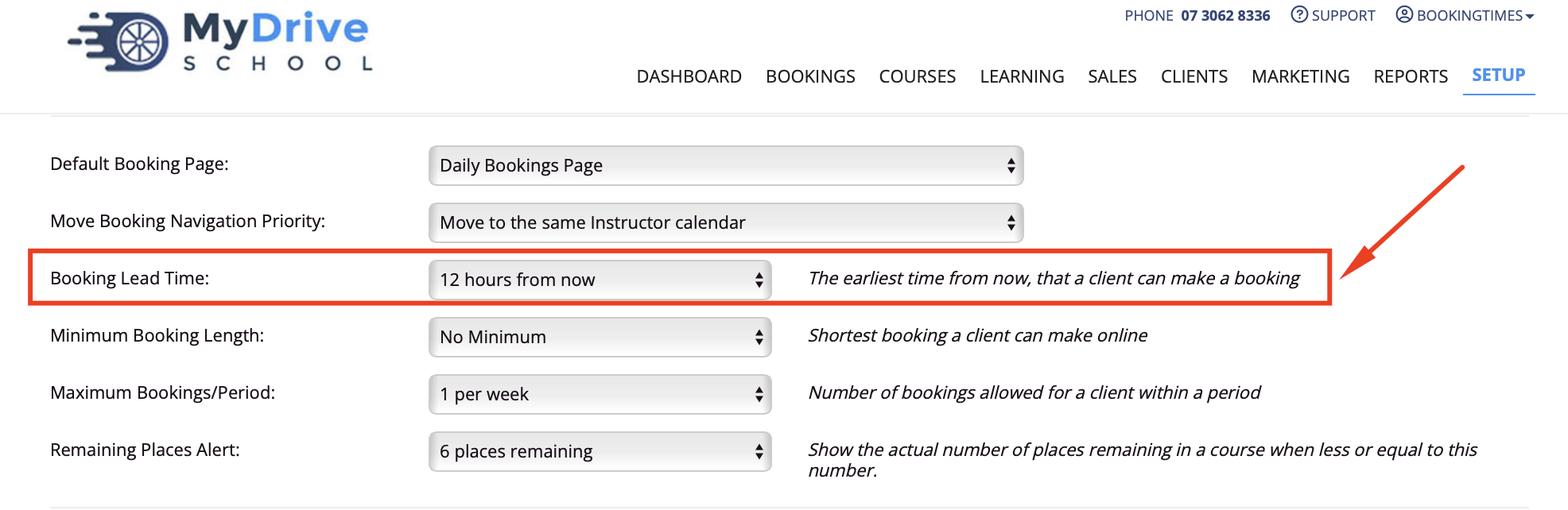
Under Booking Lead Time select your desired timeframe
Click Save
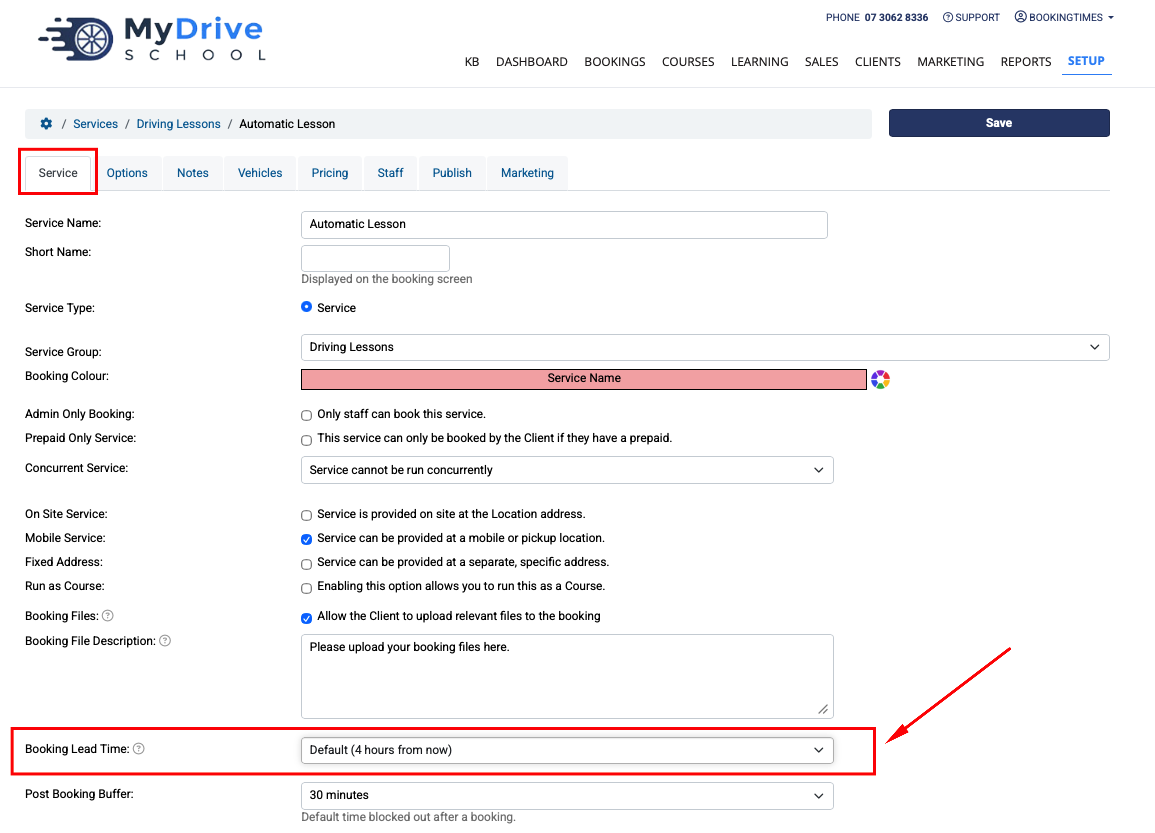
Service or course level booking lead time
Steps
Navigate to Setup > Bookings > Services > select Service (stay on Service tab)
Under Booking Lead Time select your desired timeframe
Click Save
Staff member level booking lead time
Steps
Navigate to Setup > Accounts & Security > Staff & Admins (or the terminology set up for your system)
Select Staff member (stay on Staff tab)
Under Booking Lead Time select your desired timeframe
Click Save