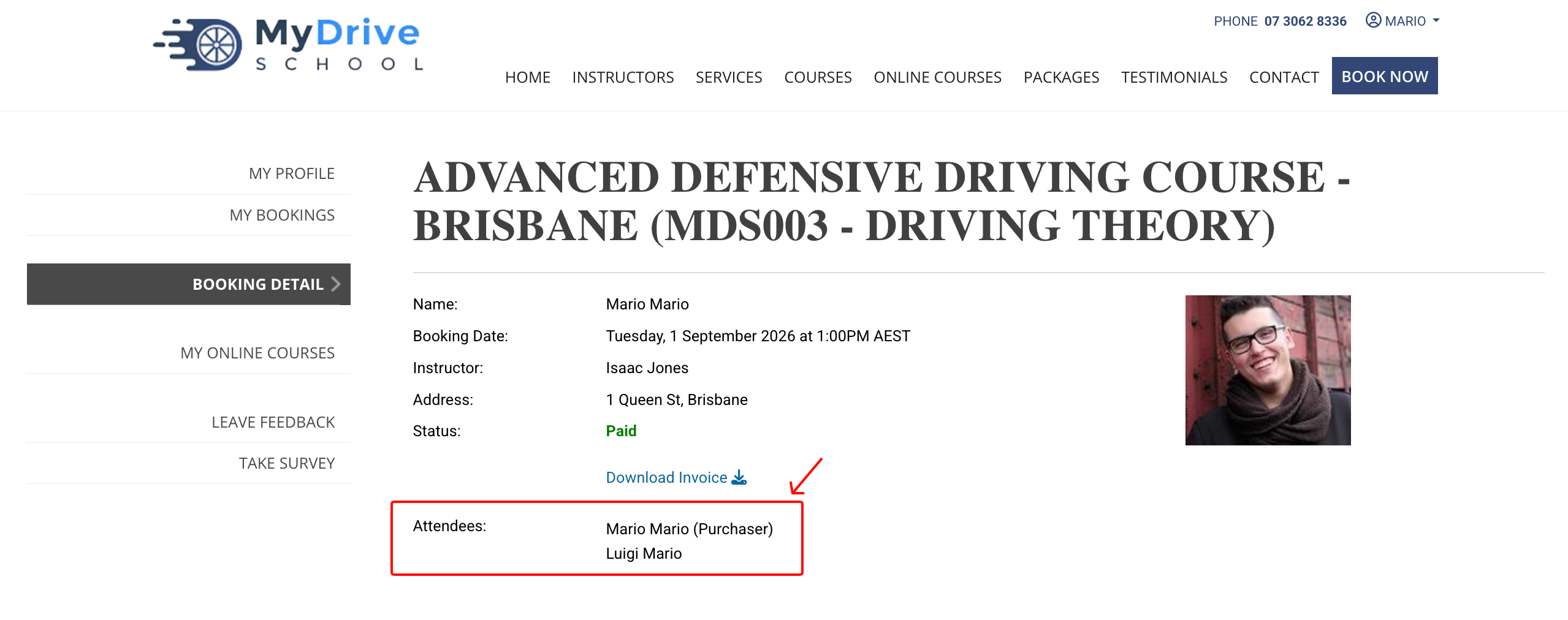
To make a booking for a group of people to attend a course, follow the steps below.
Mobile view
Steps
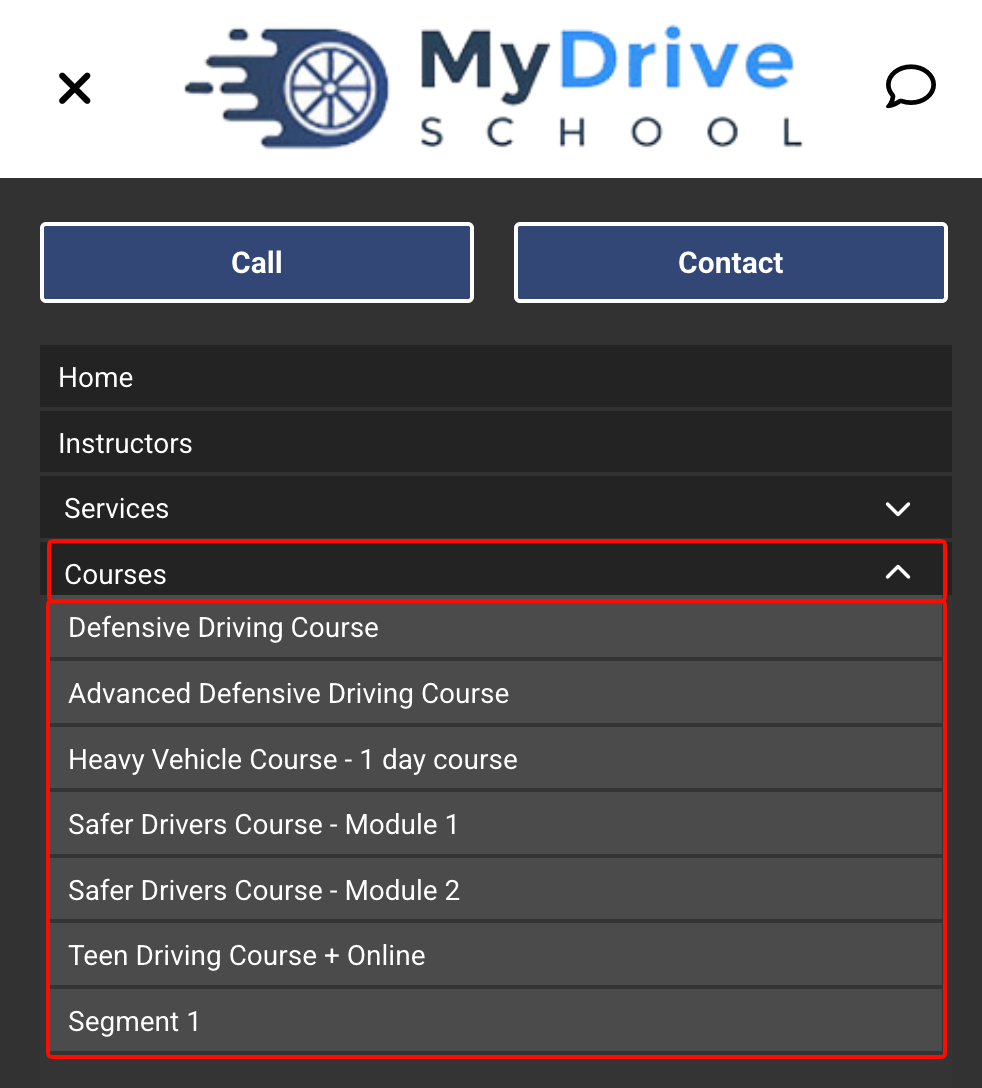
Click on the hamburger icon (3 horizontal lines).

Select the Courses dropdown menu item, then select the course that you want to attend.
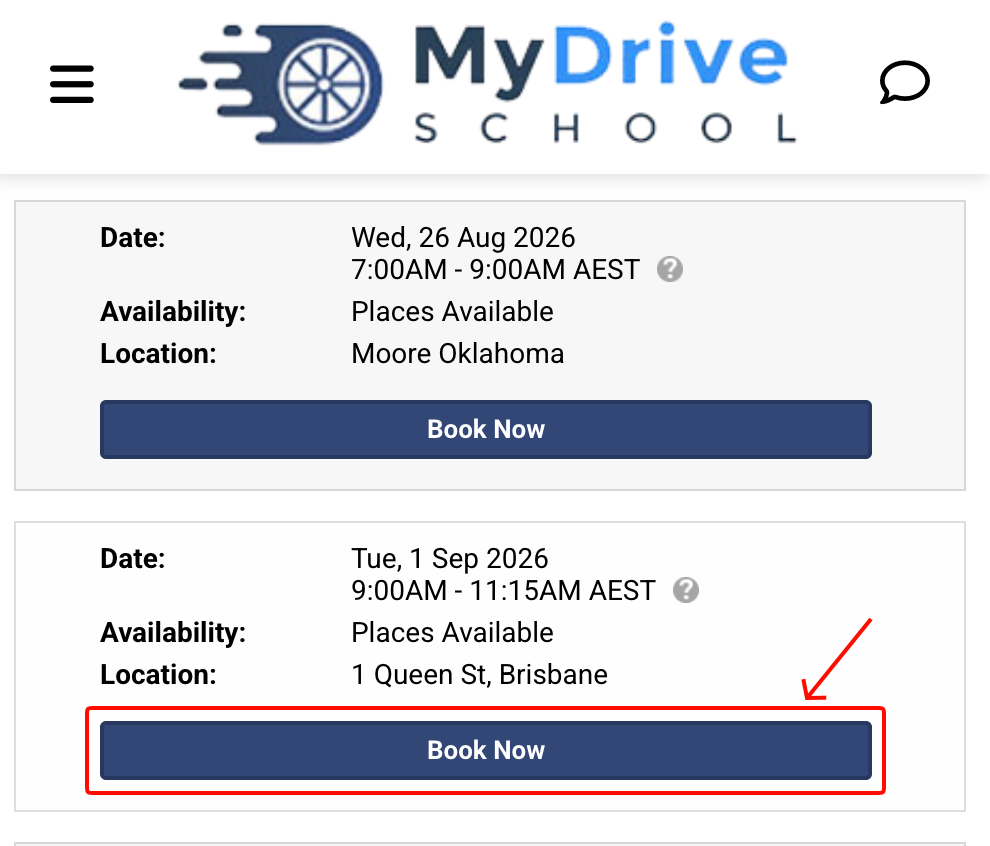
Click Book Now for the date and location of the course that you want to book.
Note: Depending on the specific course you are booking into, there may be additional information for you to provide before you can continue to the steps below.
Select a new booking for a Group.
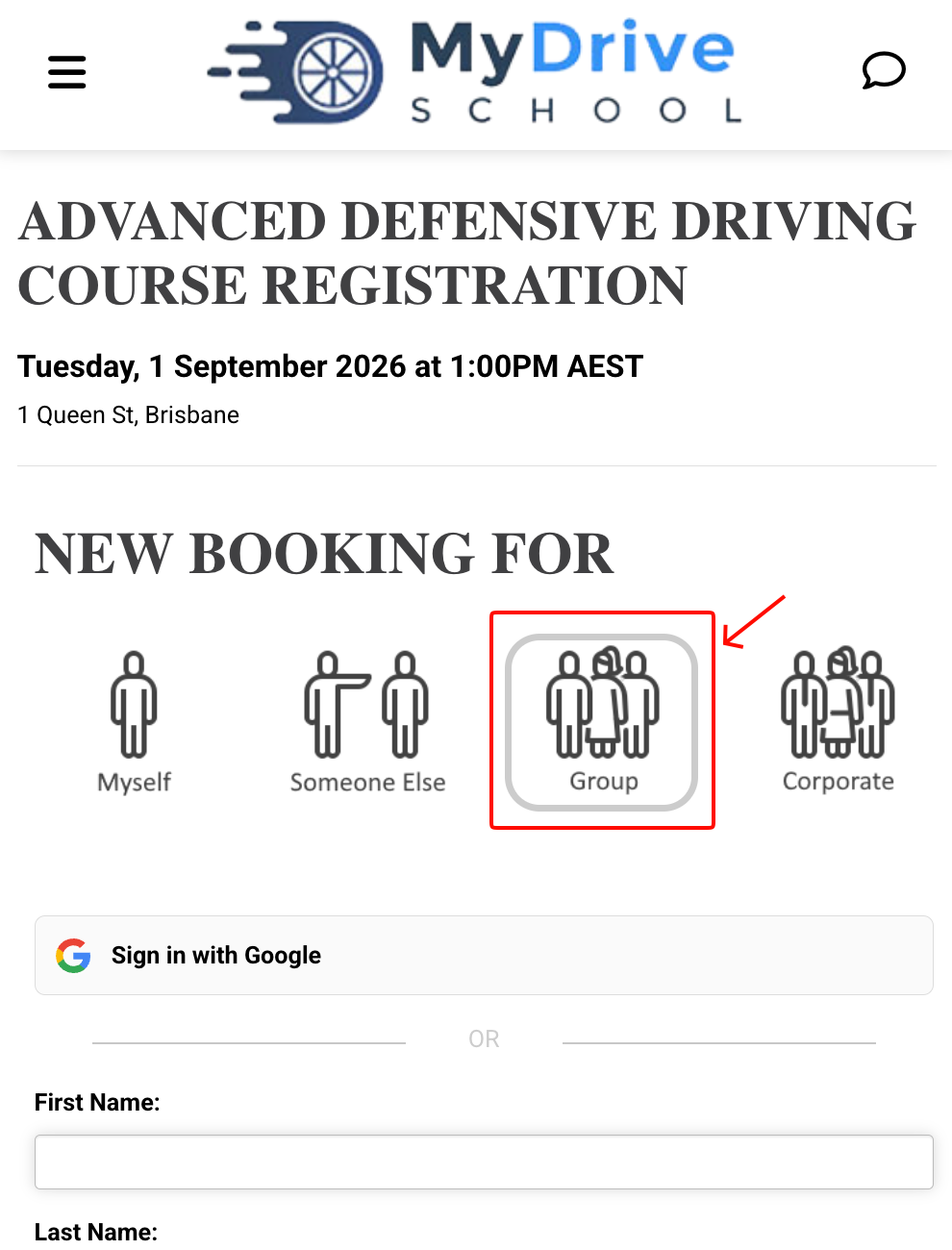
Enter your details to create a new account, or if you already have an account, click the sign in link and log in.
Click Add Attendee.
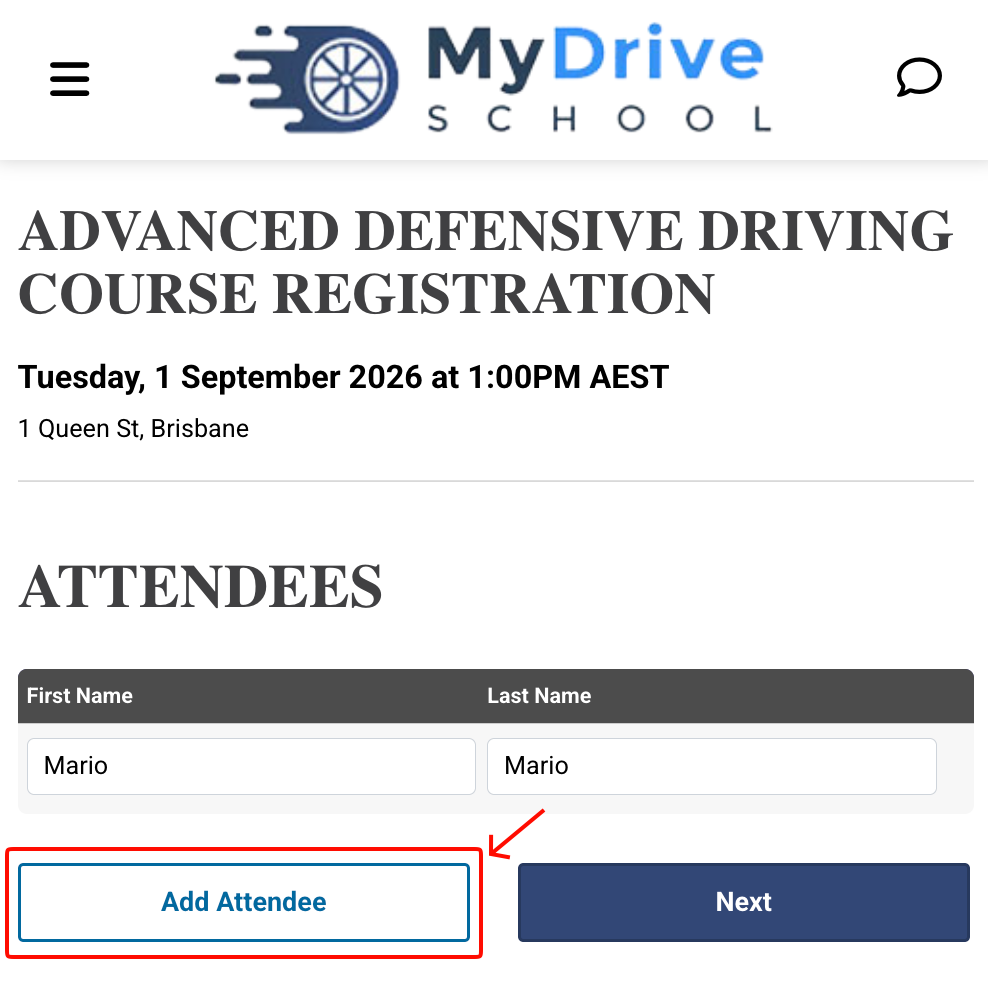
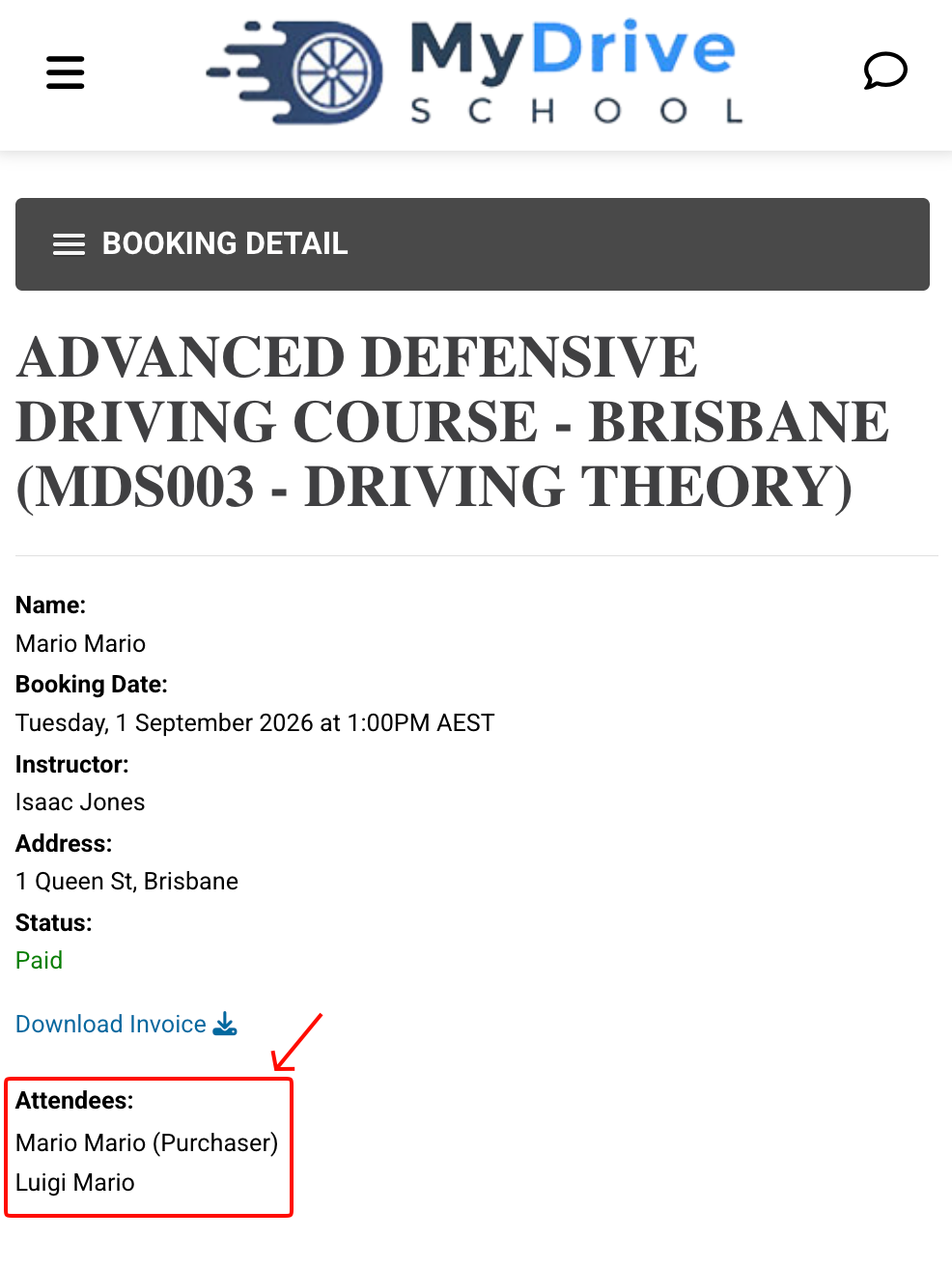
Add the First Name and Last Name of the additional attendee, and repeat for all members of your group.
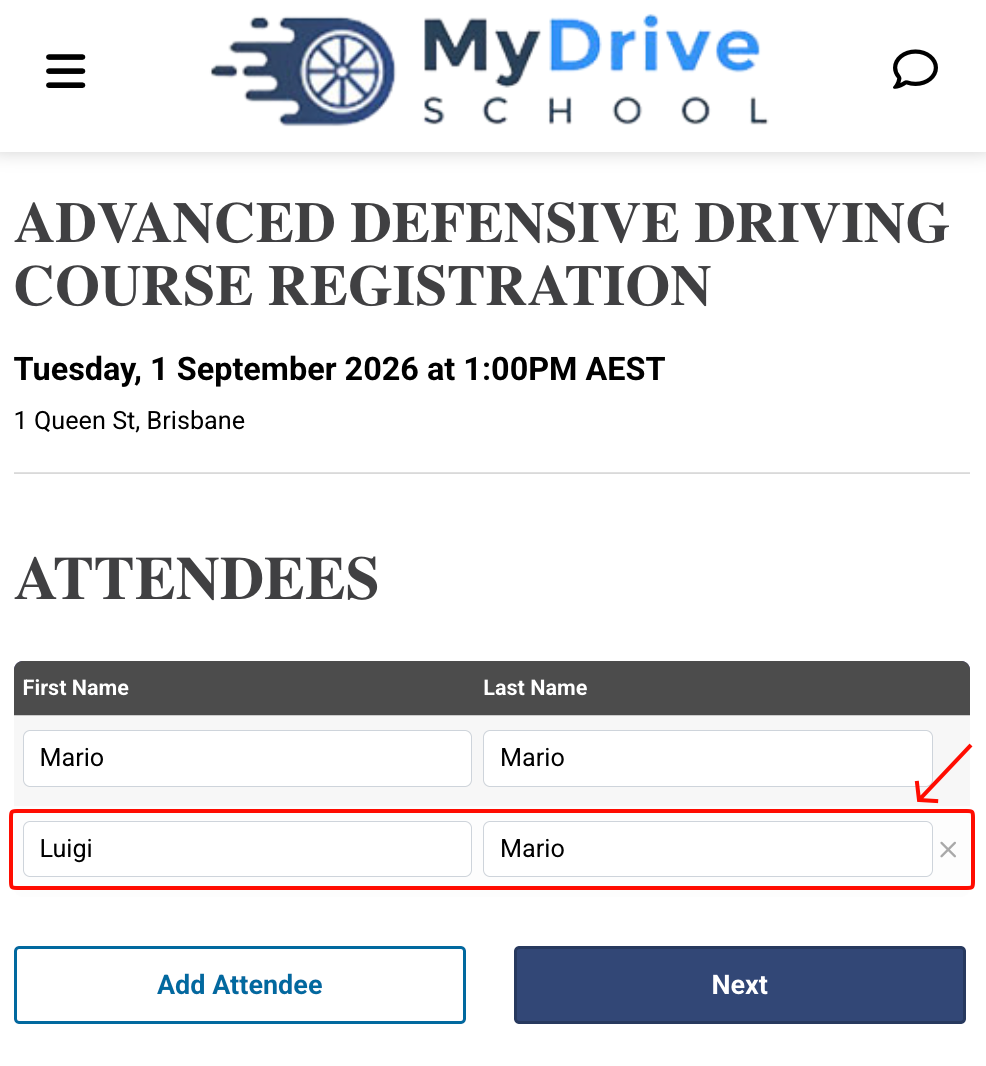
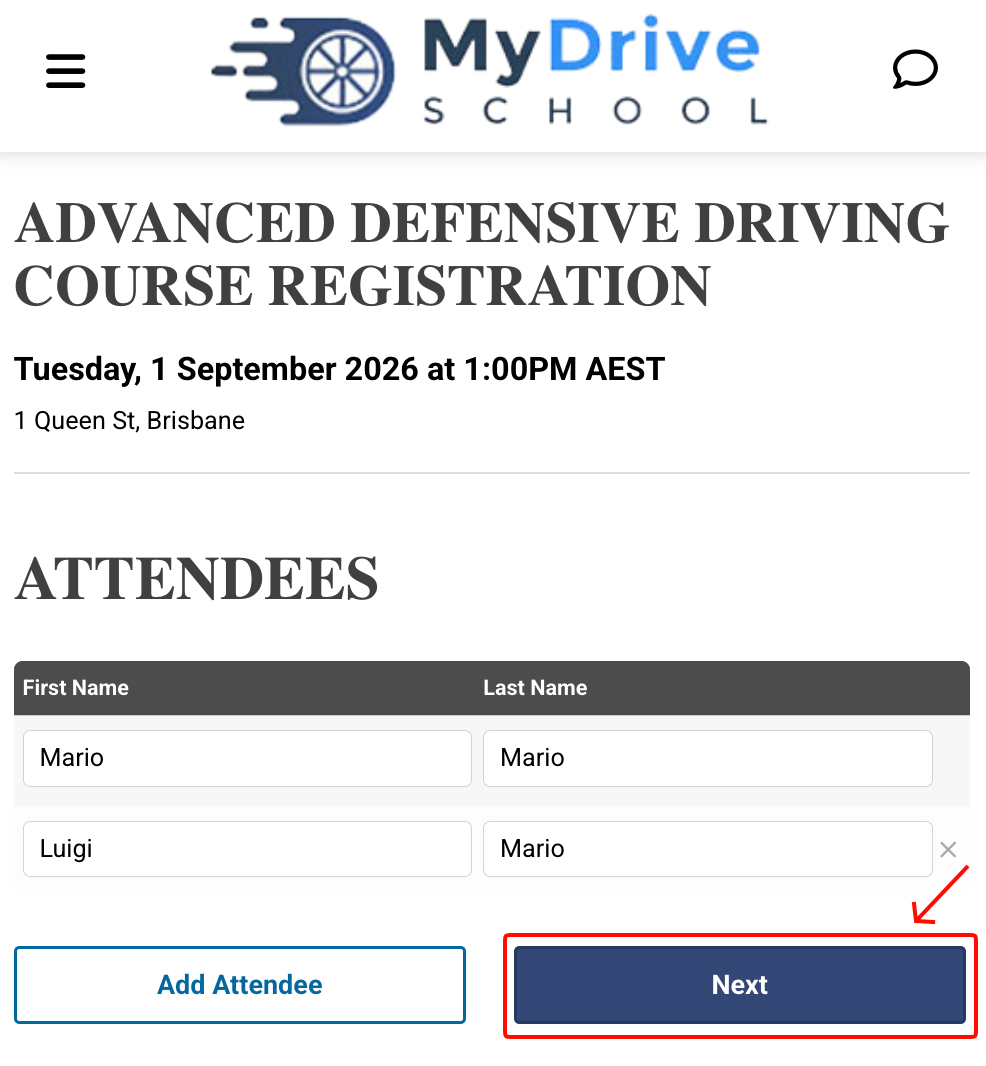
Click Next.
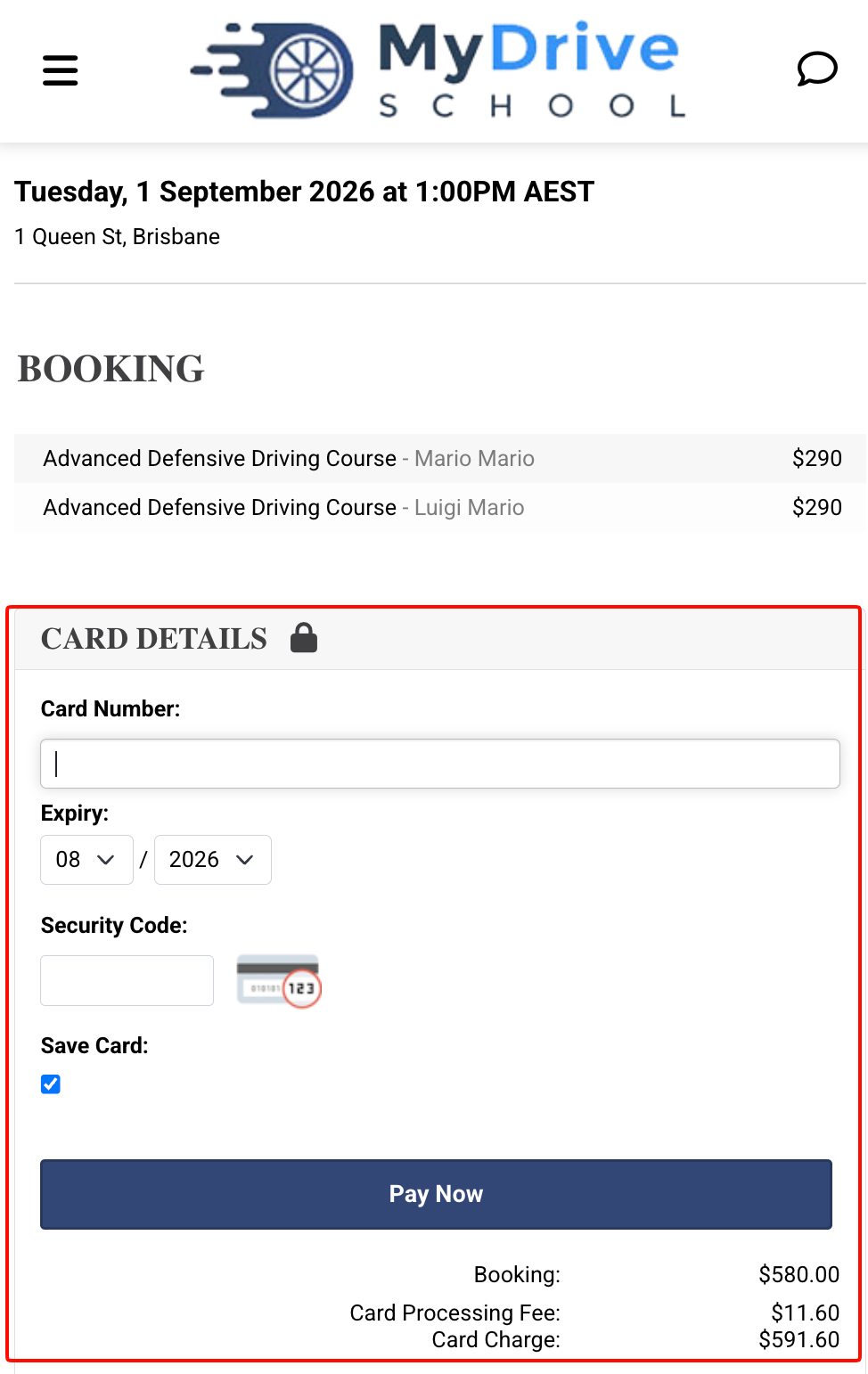
Enter your payment details and click Pay Now.
Congratulations, you have successfully booked your group into the course!
Desktop view
Steps
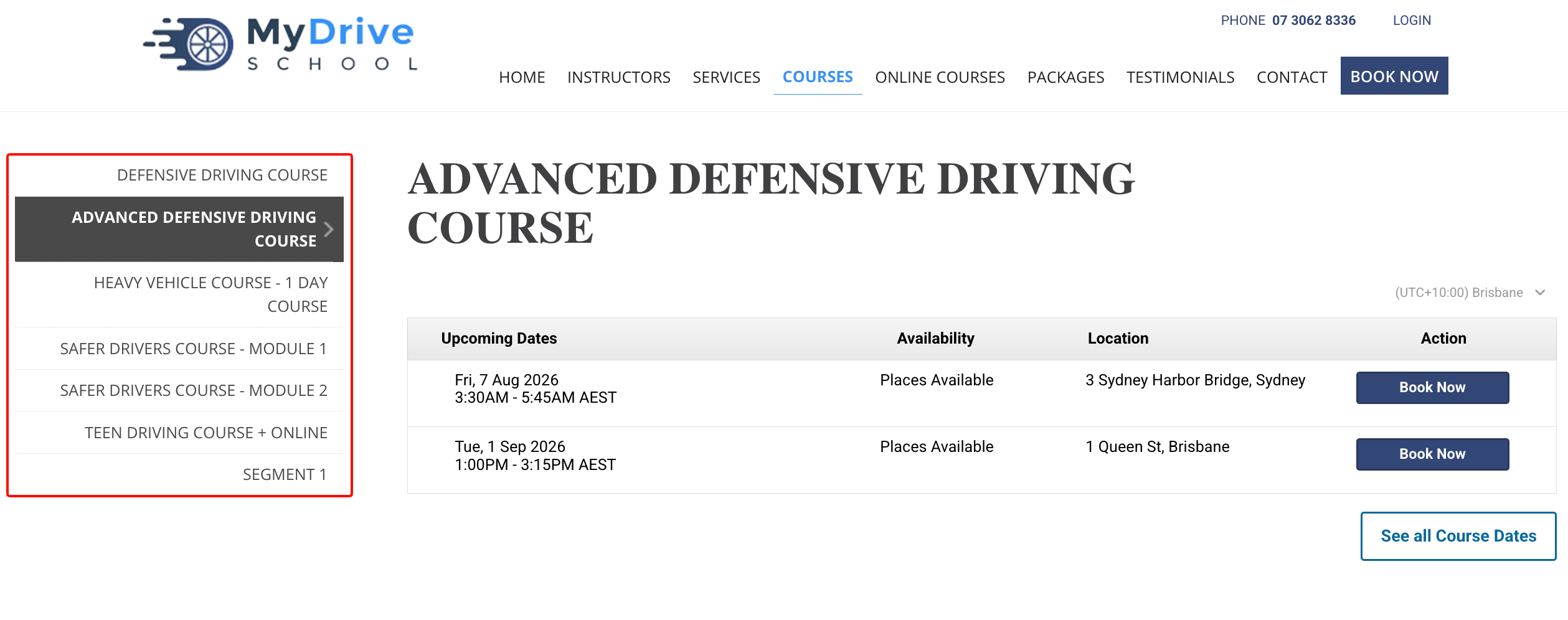
Select the Courses menu item.

Select the Course you want to book.
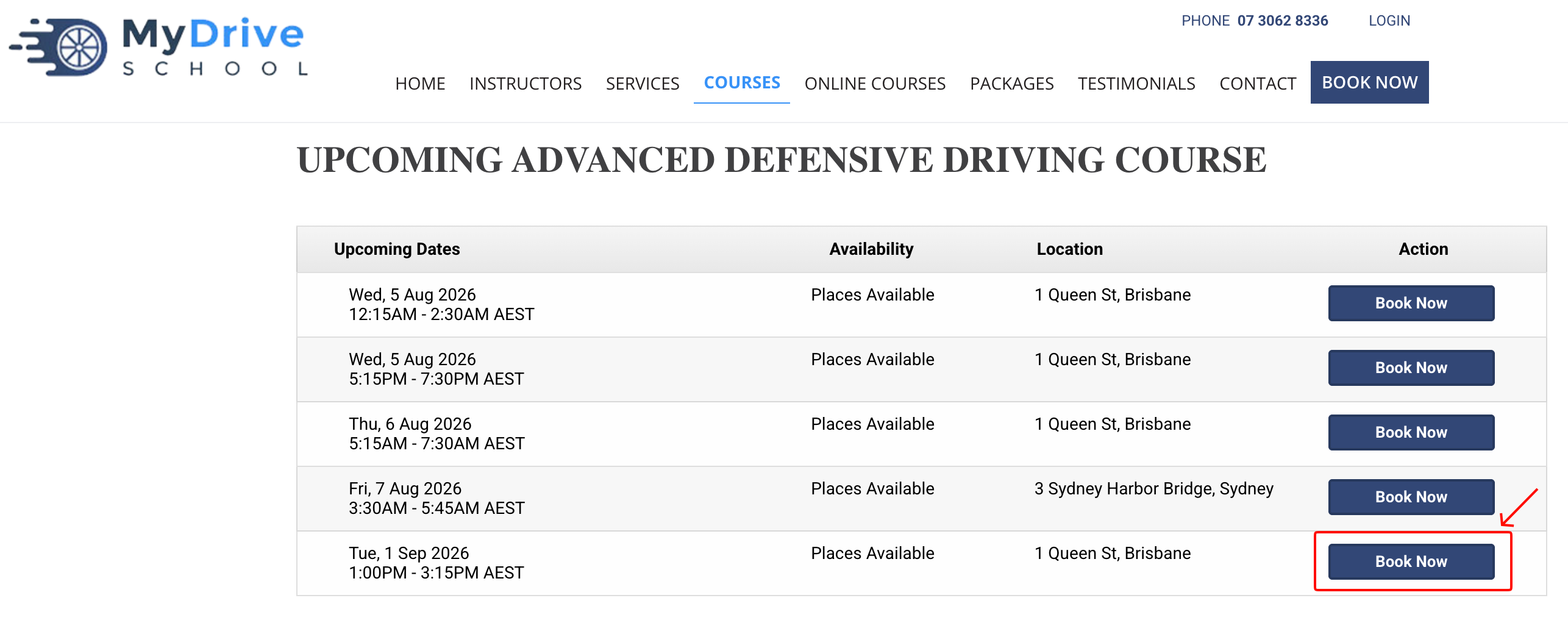
Click Book Now for the date and location of the course you want to attend.
Note: Depending on the specific course you are booking into, there may be additional information for you to provide before you can continue to the steps below.
Select a new booking for a Group.
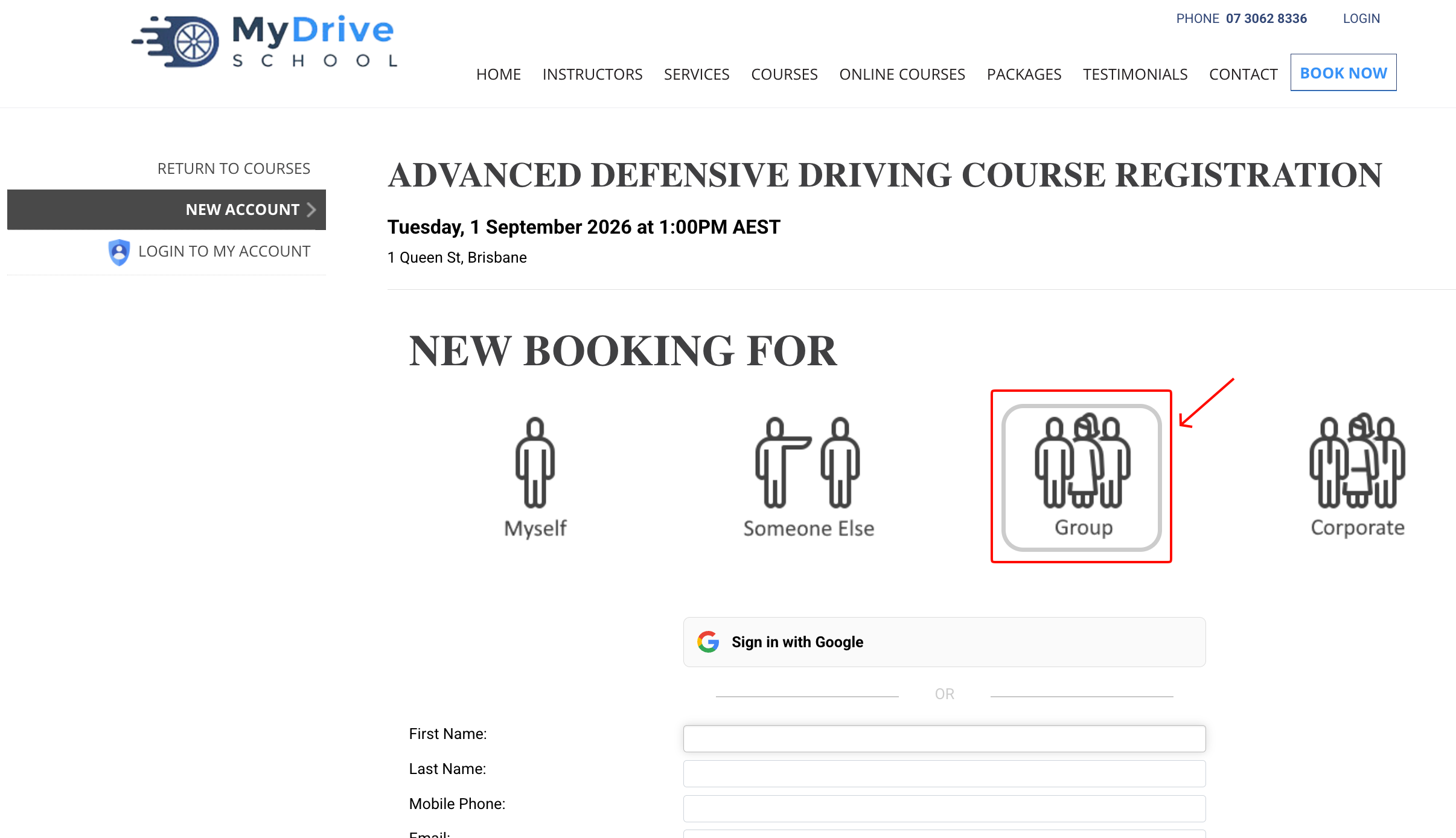
Enter your details to create a new account, or if you already have an account, click the sign in link and log in.
Click Add Attendee.
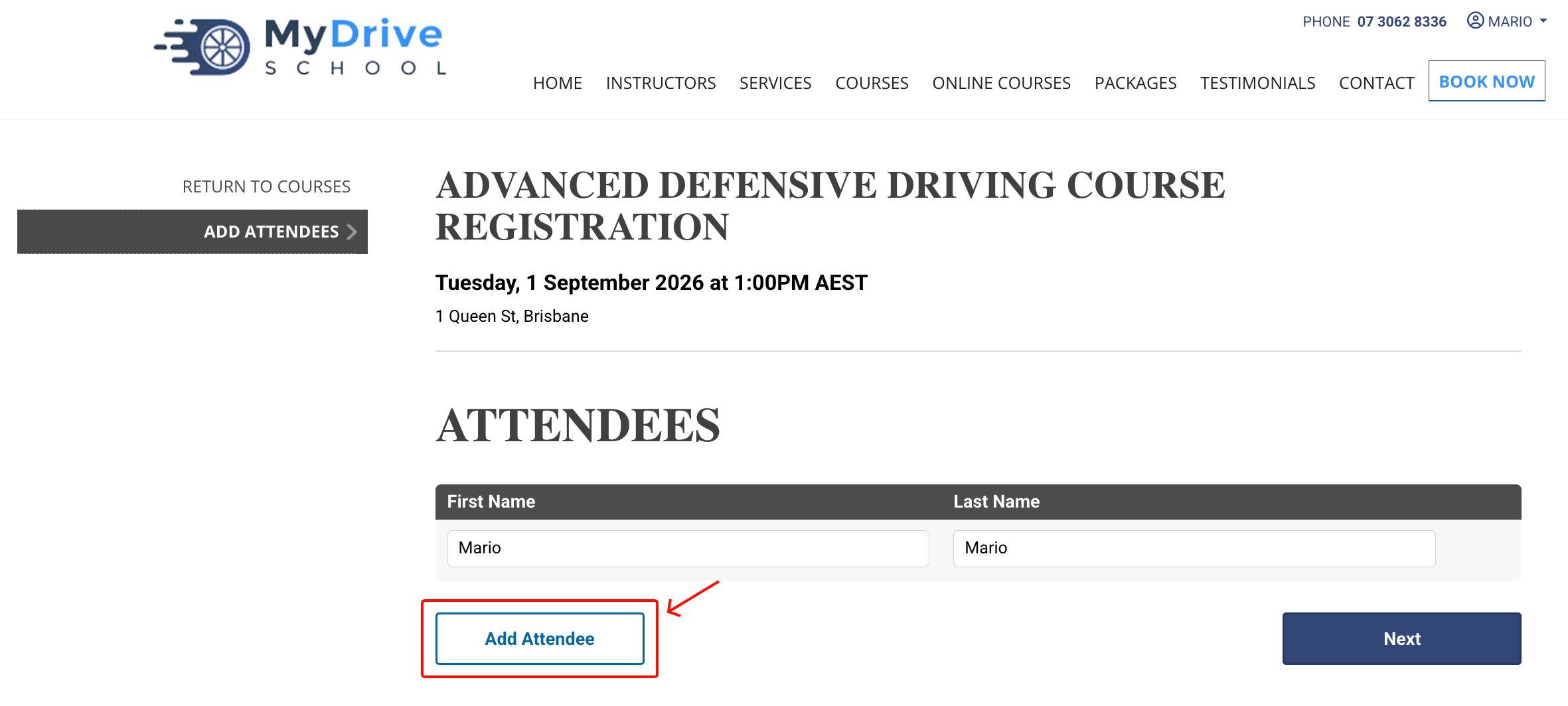
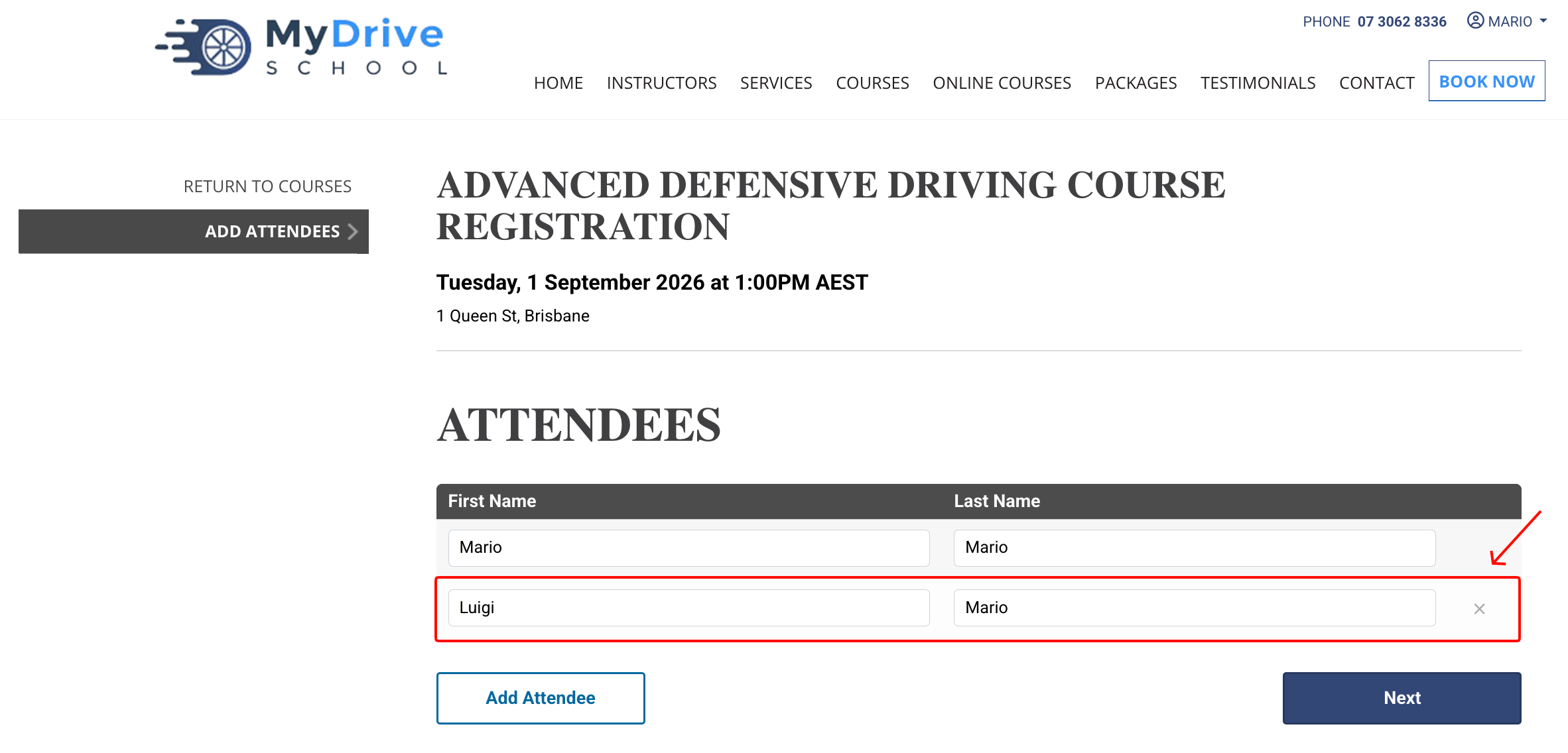
Add the First Name and Last Name of the additional attendee, and repeat steps 5 & 6 for all members of your group.
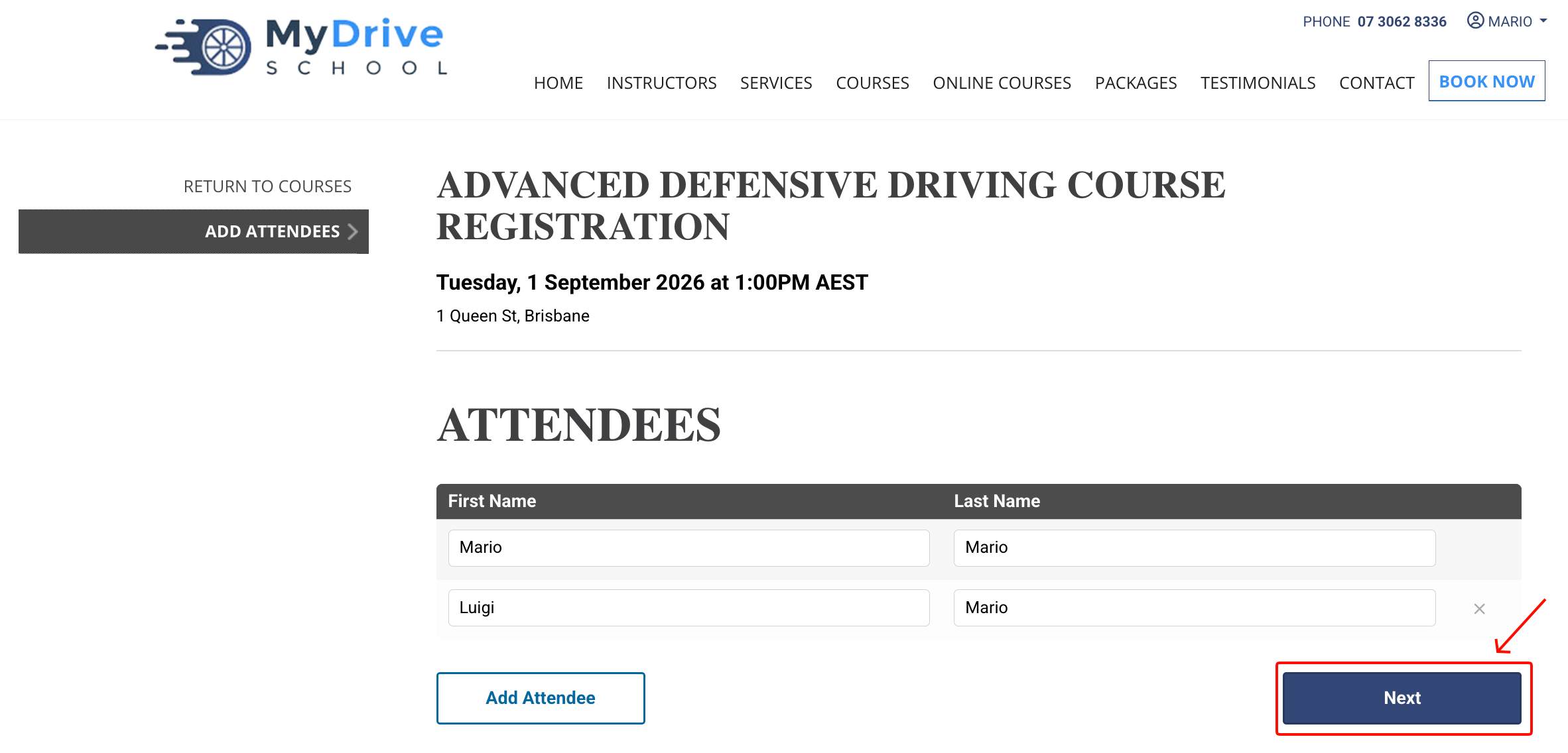
Click Next.
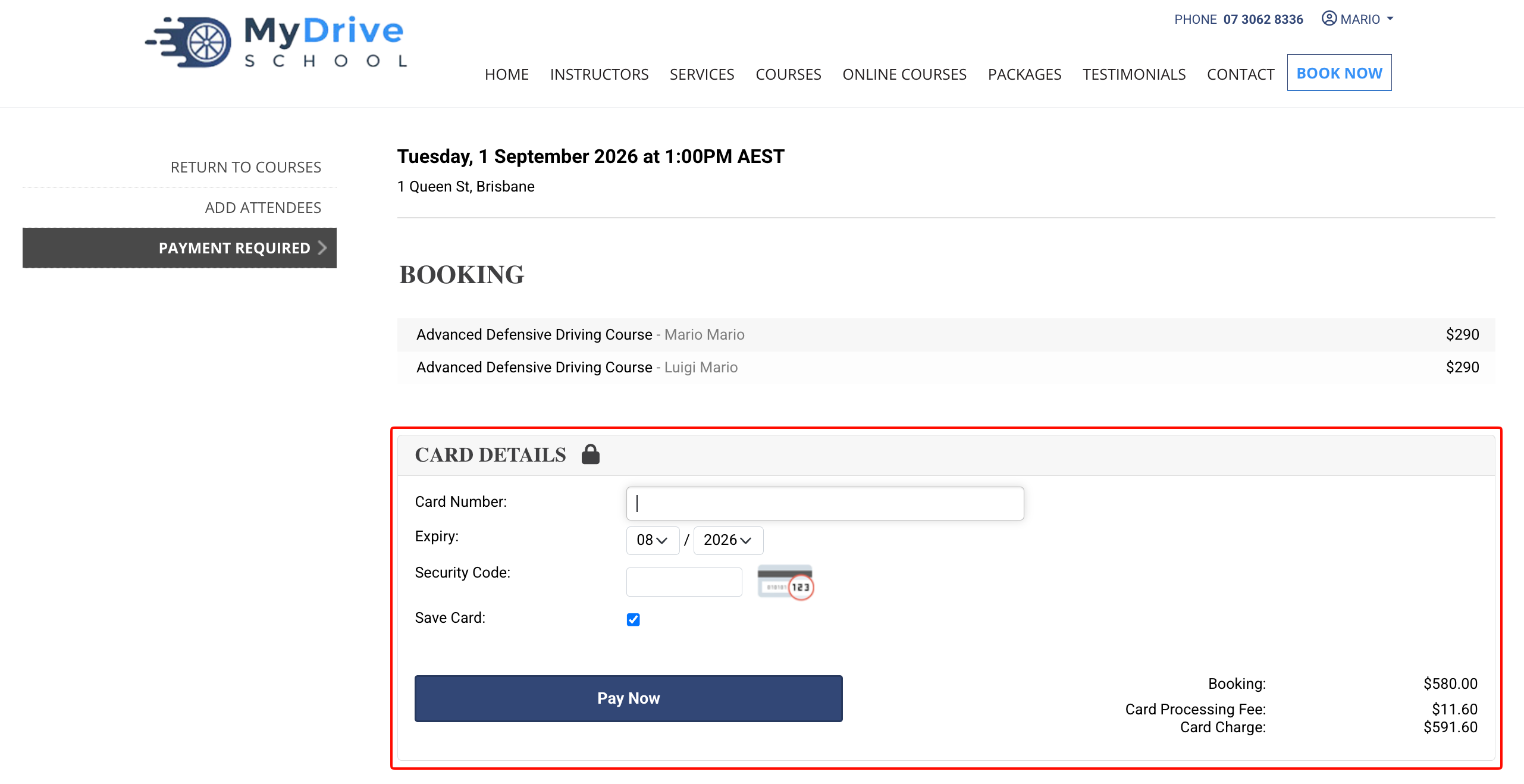
Enter your payment details and click Pay Now.
Congratulations, you have successfully booked your group into the course!