This feature is available on these plans (view pricing)
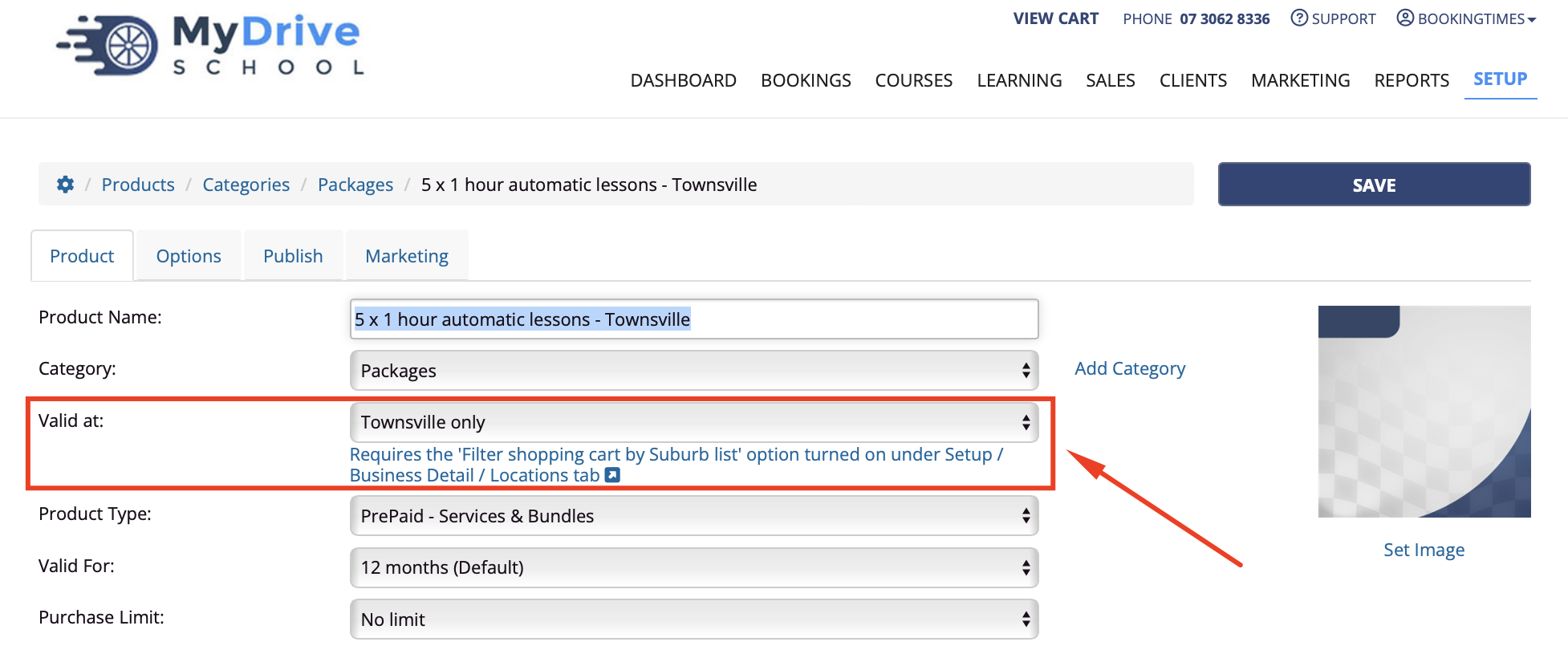
A product can also be filtered based on a client's location, and provide location based package pricing. This means when the client selects their suburb within a specific location, they will only see products (e.g. prepaid vouchers and packages etc) that are valid for that location.
Locations and suburbs
This article assumes you have multiple locations set up, and that you have also added suburbs to these locations. If you haven't please see: Adding and managing locations, and Suburbs, Regions, Boroughs
Steps
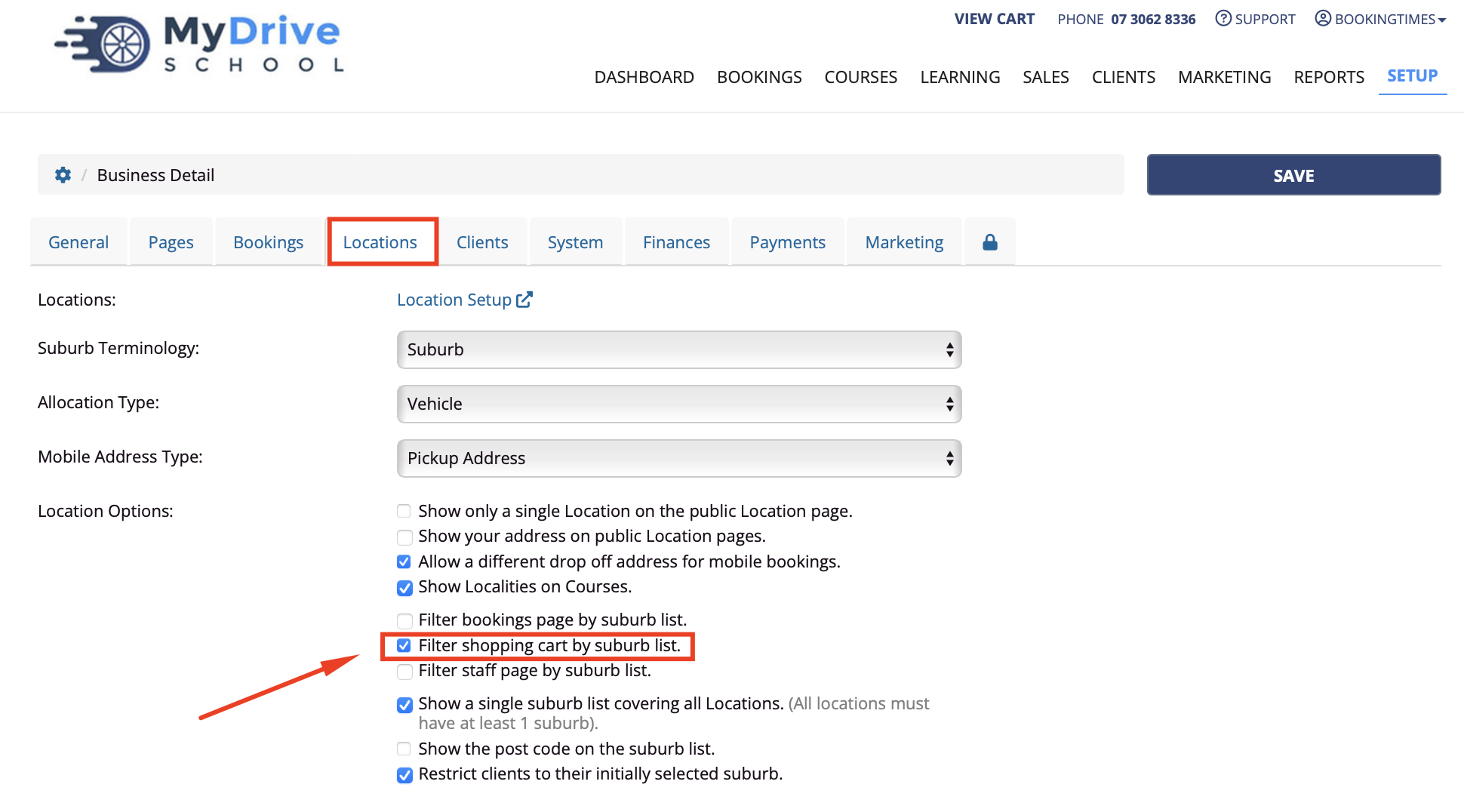
Navigate to Setup > System Settings > Business Detail > Locations tab
Select the Filter shopping cart by suburb list option
Click Save
Now Navigate to Setup > Shopping > Products & Packages
Select the relevant product. You may wish to name it with the location name included to distinguish it from the other same packages valid for other locations.
To create a prepaid voucher see the Creating a prepaid voucher or package article.
Select Valid at to the location you wish it to be valid for