Meta tag titles and descriptions can be edited on all public facing page by following these simple steps:
Step 1: Navigate to your Setup menu and select : "Edit Website"
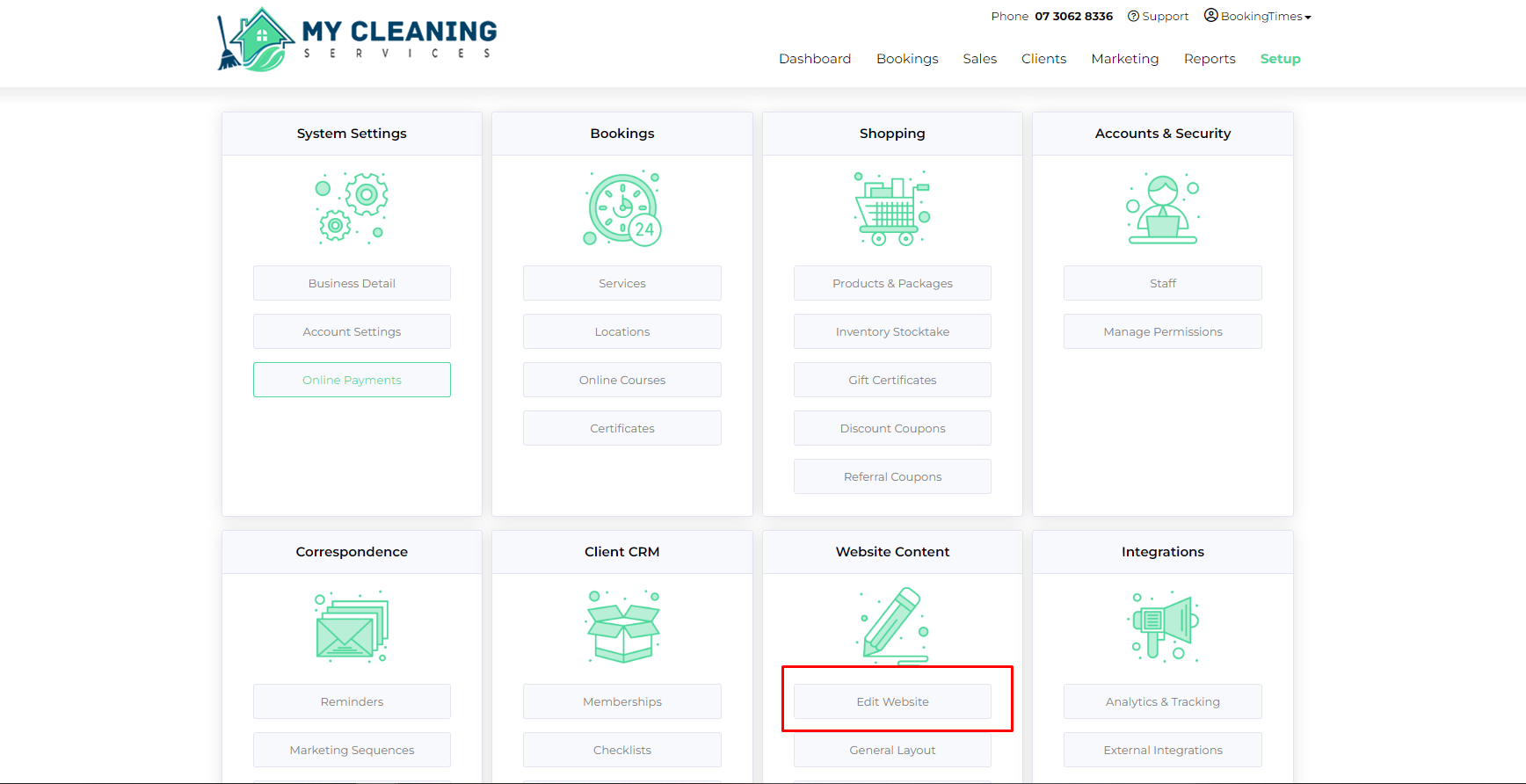
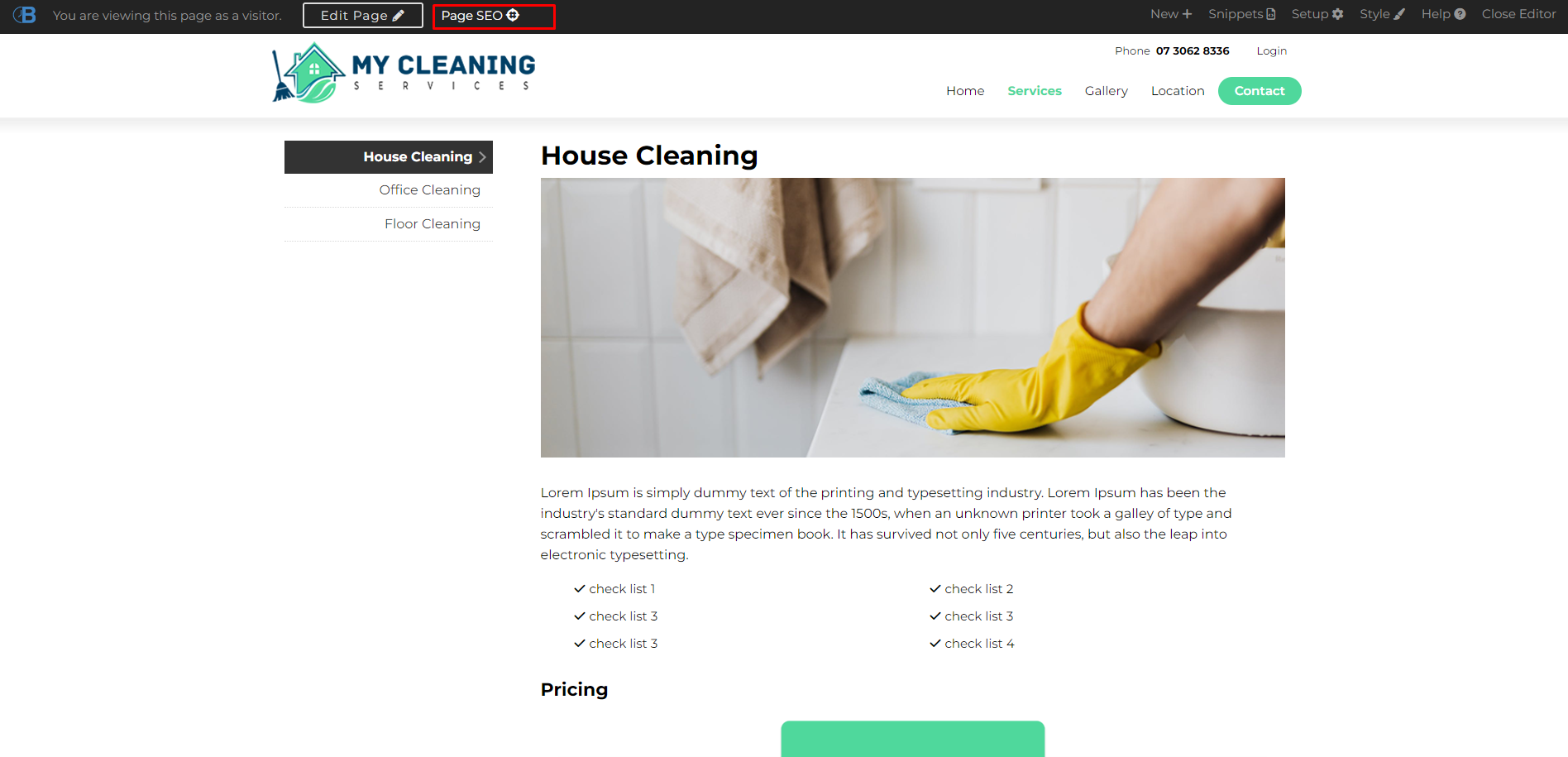
Step 2: Select the page you would like to edit the Meta on

Step 3: Press the "Page SEO" Button at the top of the screen
Step 4: Edit the Title and Description
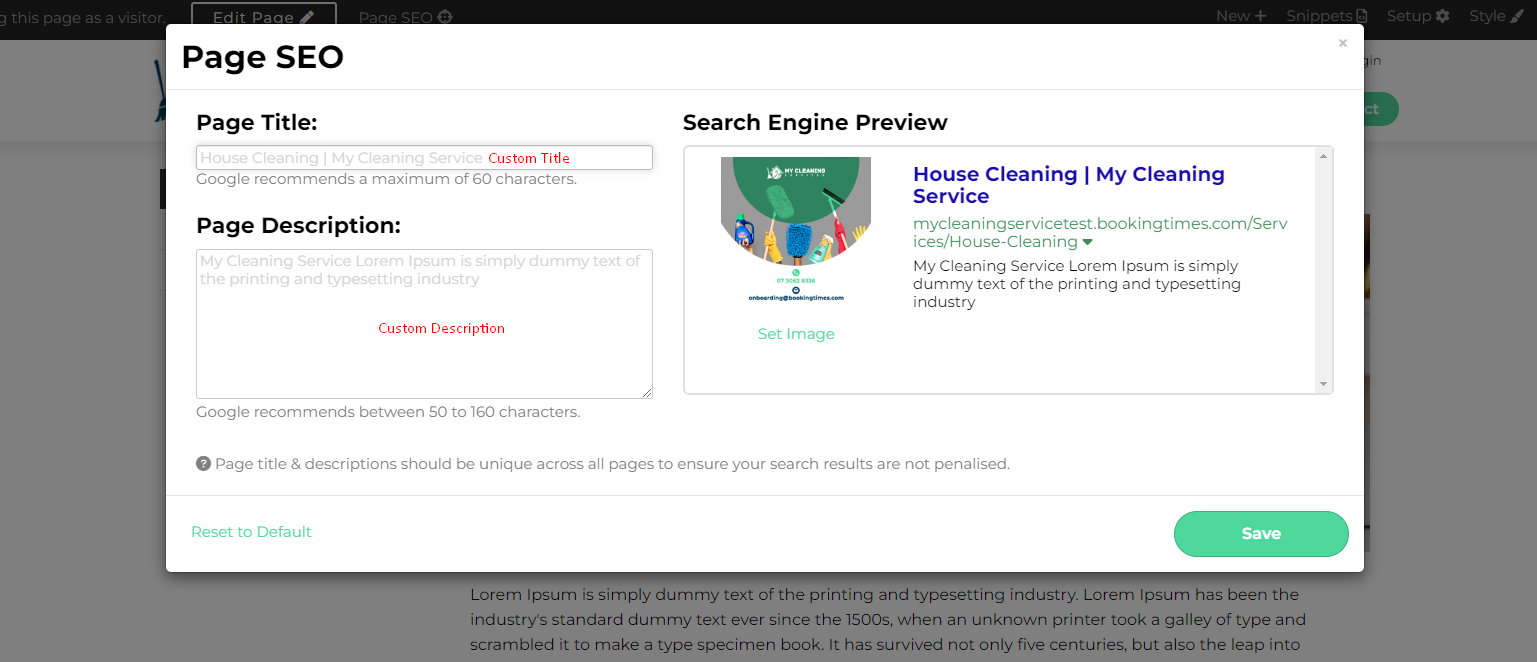
You will notice there is already a greyed out text present in the locations, that is pre-filled from the content on the page. We strongly encourage you to do keyword research and find the keywords most likely to be associated with this particular page, and find a natural way to integrate those words into both your title, as well as the description.
*Note: you can also add a custom image to this area (recommended 500x500px) - this can be found via Google Search Images and increases the likelihood of being found, due to authenticity.
Google Takes Time
While you have modified your Meta tag Titles and descriptions on site - it may take some time for Google to recognize the changes seen here (often times 3-5 weeks) - you can increase the likelihood of the Google Crawlers finding these changes by re-submitting your sitemap to Google. That can be done in these steps:
Sign in to Google Search Console. (https://search.google.com/)
- In the sidebar, select your website.
- Click on 'Sitemaps'. The 'Sitemaps' menu is under the 'Index' section. ...
- Enter 'sitemap.xml
- Click Submit.