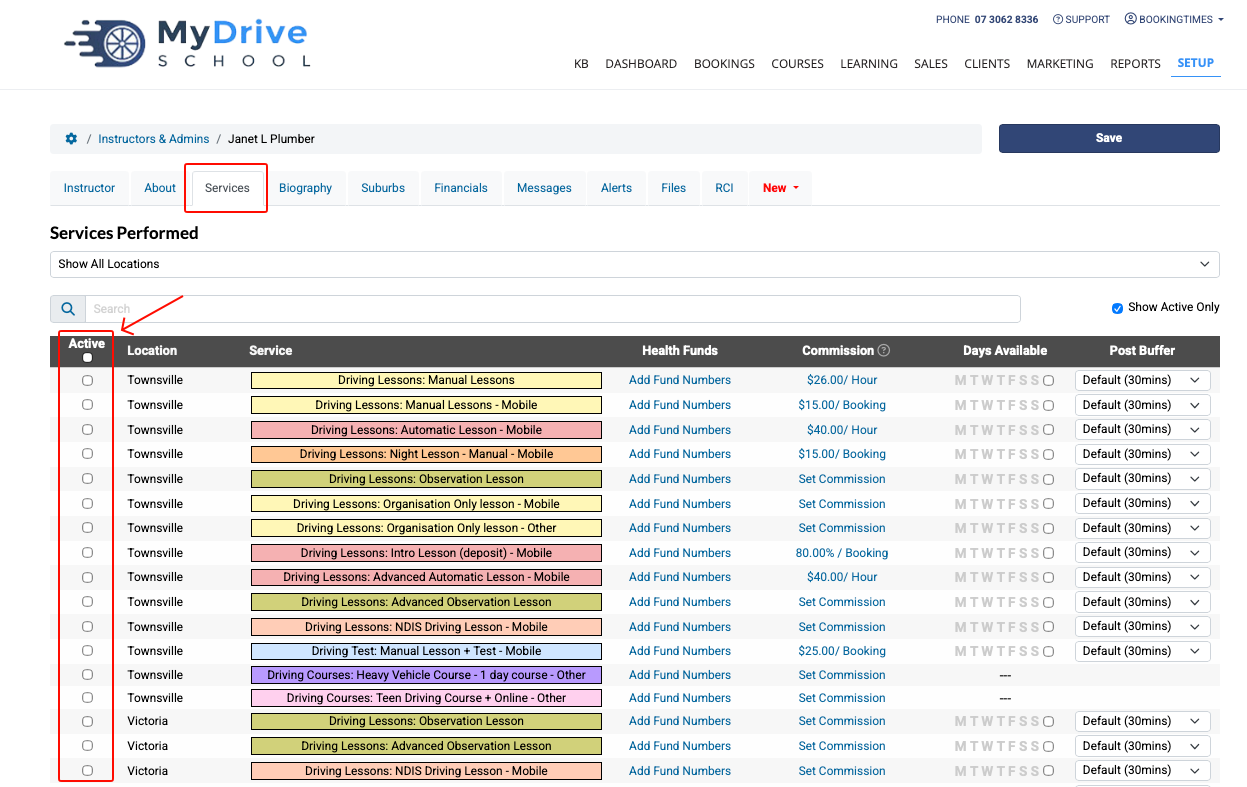
This guide will show you how to remove a staff member's booking calendar by un-allocating any services they’ve been assigned.
Calendar cost credited
Please note that if you uncheck all active services from a staff member, they essentially become an Admin staff member. This means their calendar will be removed and you will no longer be charged (and a prorated credit will be applied to your account accordingly and applied to your next billing cycle). e.g. a staff member is on leave for a few months.
If you wish you add services to that staff member again later, just follow the process in the Setting staff up with a calendar and services article and activate a calendar for them to then select their services. At that point you will be charged again for their calendar, with the portion being added to your next billing cycle.
If you wish to remove a staff member altogether, please see the Deleting a staff member article.
Steps
Navigate to Setup > Accounts & Security > Staff & Admins
Select the staff member
Click on the Services tab
Uncheck all the services offered
Click Save