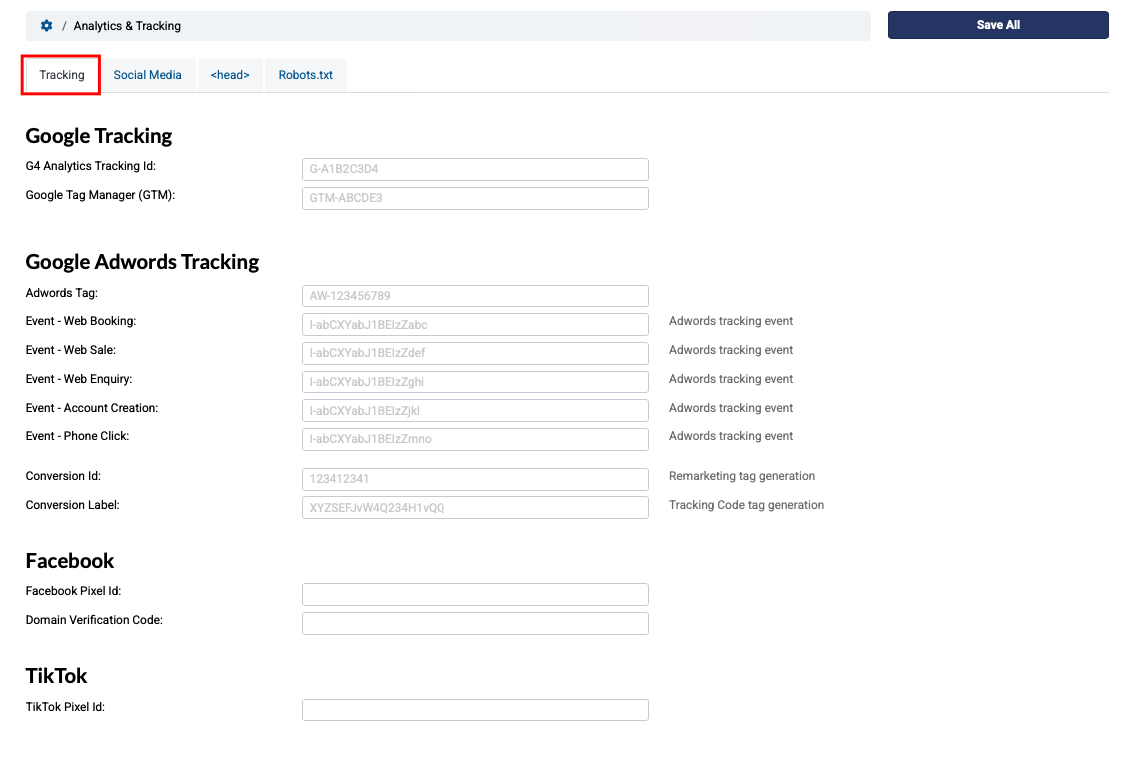
You can add your Google Adwords tags and tracking events to your BookingtTimes website.
Note
You must have set up a Google Analytics account to have access to Google Adwords and generate your adwords tag. If you are not familair with this yet, please see: Basic Adwords setup
Steps
Navigate to Setup > Integrations > Analytics & Tracking
Under Google Tracking enter your GA4 Analytics Tracking Id and Google Tag Manager (GTM) ID
Enter any other Google Adwords Tracking event identifiers if relevant (also includes Facebook Pixel Id and TikTok Pixel Id)
Click Save All