Your account stores your Account Settings and billing information including where you set up your credit card for monthly billing. This is also where you can review and change your pricing plan.
Logging into your account
Your Account can be accessed by clicking Login on your website menu.
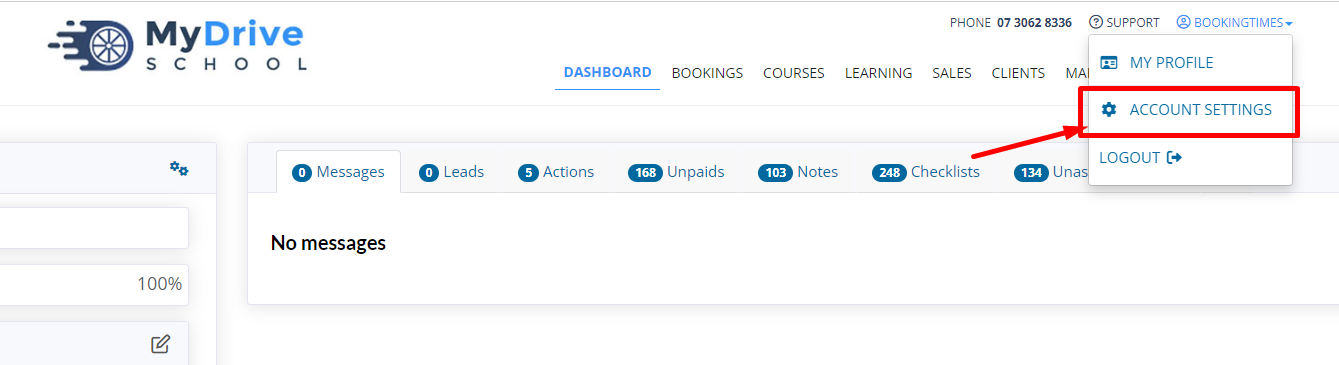
After logging in, click your name in the top right of the menu and select Account Settings from the dropdown. This can also be accessed via Setup > System Settings > Account Settings.
Account settings
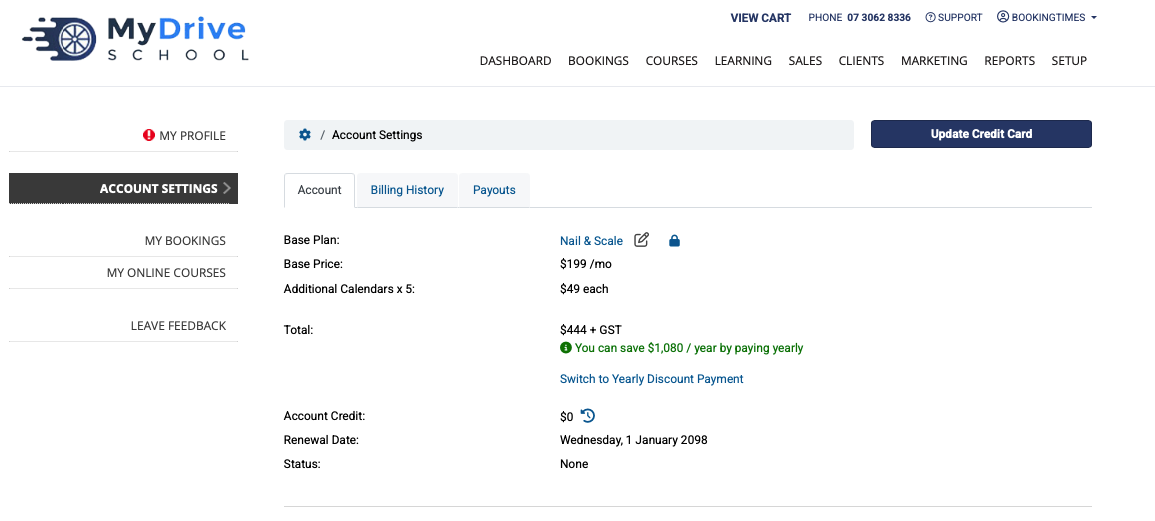
This section is where you can view and change your pricing plan, and set/update your credit card which is used for monthly billing, and also view the various add-ons that may contribute to your monthly bill (e.g. SEO+ subscription, Traffic+ subscription, SMS sent etc).
To update your pricing plan simply click the edit icon next to your Base Plan
To set/update your credit card details click on the Set/Update Credit Card button
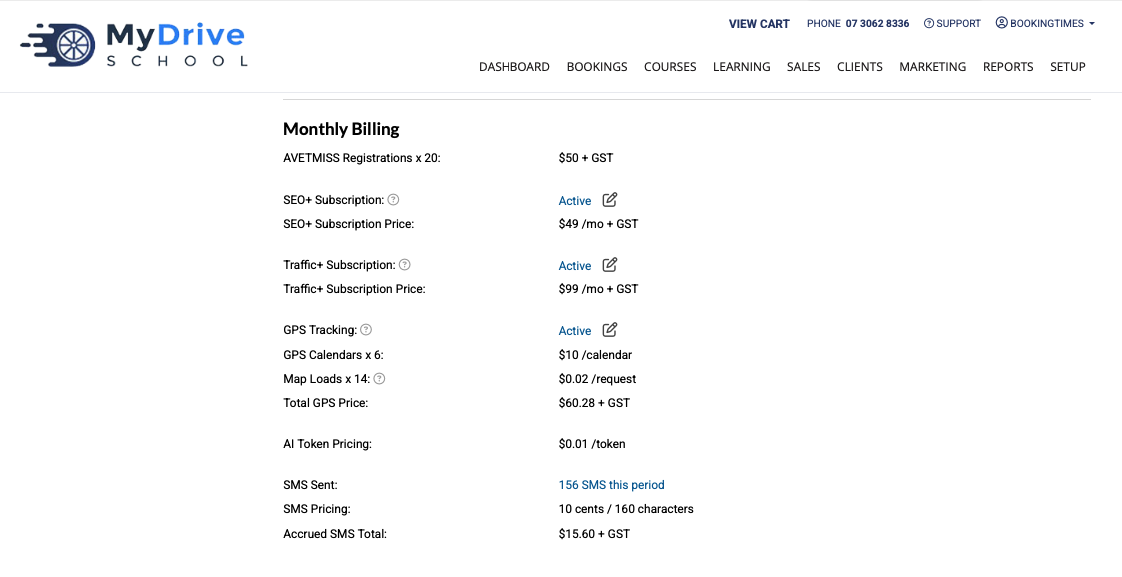
All other various add-ons that may contribute to your monthly bill (e.g. SEO+ subscription, Traffic+ subscription, SMS sent) are also shown here.
Some of the monthly add-ons are able to be de-activated from here, by clicking the Active link or edit icon.
Billing history
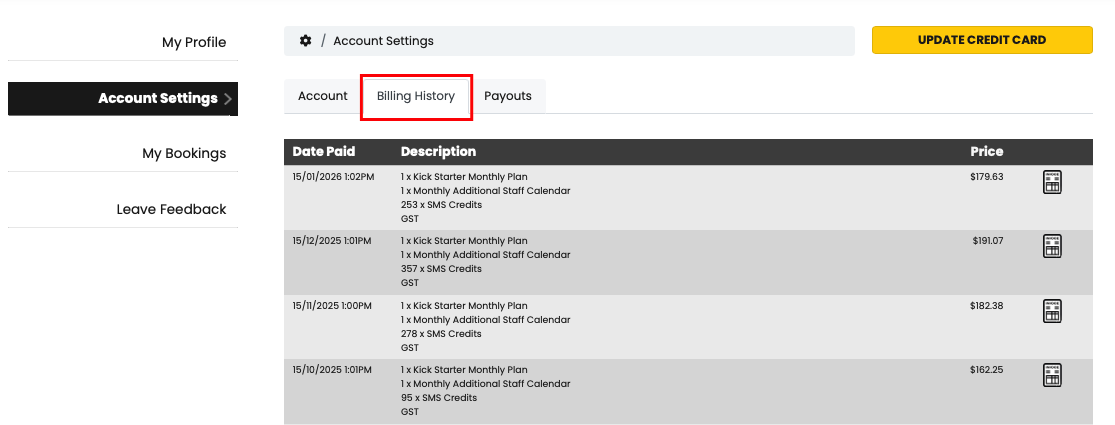
To see your full billing history (including downloadable invoices), click on the Billing History tab.
SMS Billing
This is where you can view the number of SMS sent and cost per 160 characters for SMS